


Key Takeaway: The best apps for tracking student progress range from specialized classroom tools to all-in-one management platforms. For tutoring centers, an integrated system like Tutorbase is superior because it connects student progress directly to the core business operations of scheduling, billing, and payroll, reducing admin time by over 60% and eliminating costly errors from using fragmented tools.
Tracking student progress effectively demands more than a simple gradebook. It requires a holistic view that connects attendance, skill mastery, and engagement directly to your tutoring center's operational health. Without the right tools, you piece together data from spreadsheets, parent emails, and disparate apps, making it impossible to spot learning gaps or demonstrate value to parents.
For tutoring center owners and language school directors, this fragmented approach creates an administrative burden that prevents you from focusing on delivering exceptional education. The core problem is a lack of visibility. When you cannot easily see how a student is progressing, you miss crucial opportunities for intervention, struggle to communicate progress effectively, and find it difficult to prove the value that justifies your pricing and encourages renewals.
This article curates a list of the best apps for tracking student progress, designed for the unique needs of educational businesses. From classroom engagement tools to all-in-one platforms that integrate progress tracking with scheduling and billing, you will find a solution that fits your operational scale. We analyze core features, use cases, pros, cons, and pricing to help you make an informed decision quickly.
1. Tutorbase
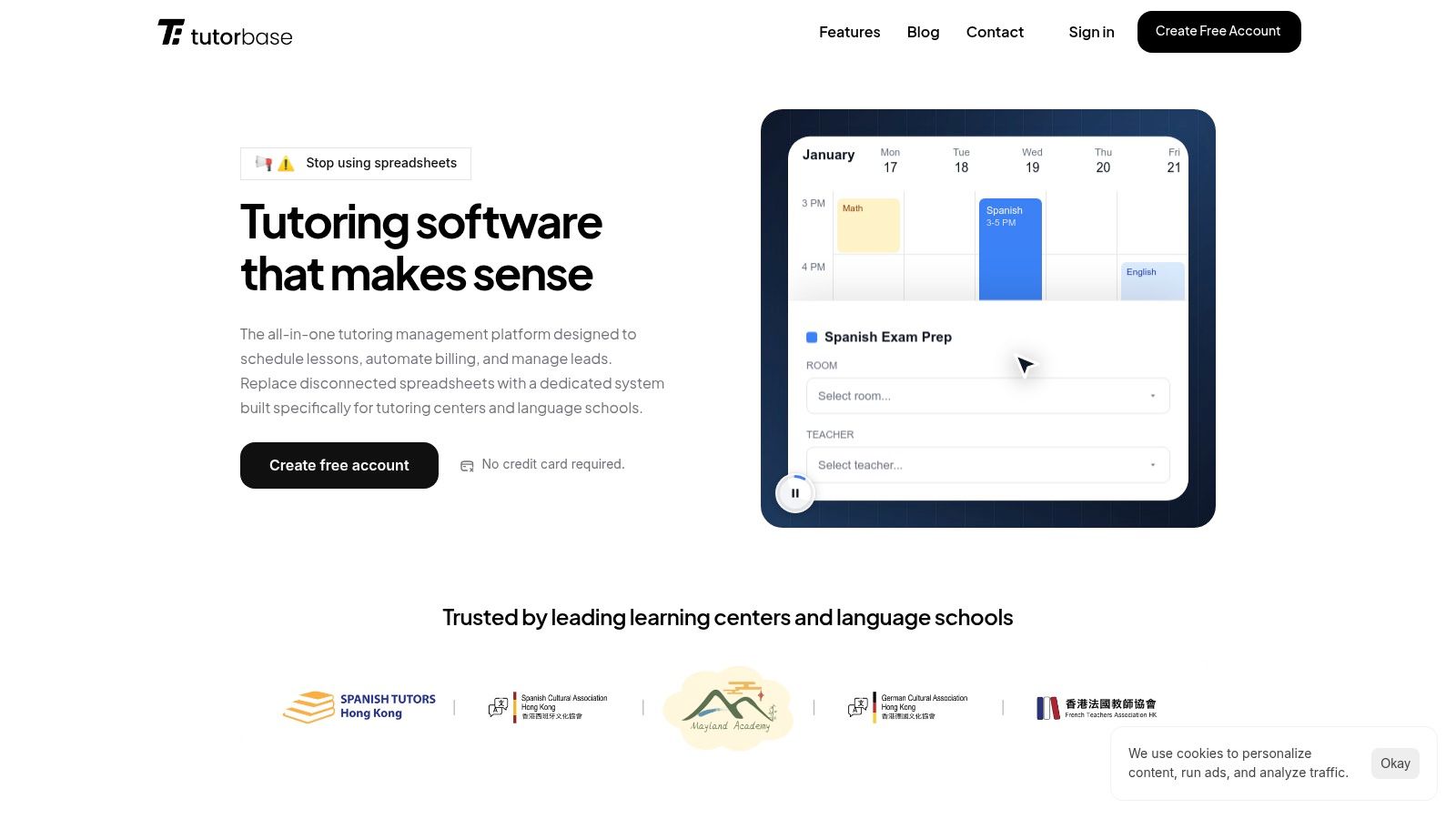
Tutorbase is an all-in-one, AI-powered tutoring management software that replaces fragmented tools like Teachworks, TutorCruncher, and spreadsheets. It consolidates scheduling, billing, payroll, room management, and student tracking into one platform. This comprehensive approach makes it the top choice for tutoring centers and language schools seeking to automate administrative tasks, reduce operational costs, and improve visibility into both student and business performance.
Why is Tutorbase the top choice for tutoring centers?
While many apps track grades, Tutorbase excels by integrating student progress directly into your business operations. Its strength comes from centralizing lesson history, attendance records, and teacher notes into a complete student profile. This allows you to see the entire student journey, from lead intake to consistent attendance, and then automatically use that data to generate accurate invoices and payroll, a feature standalone apps lack.
Standout Features and Benefits
- AI-Powered Scheduling: The Find Slot feature instantly generates optimal teacher, room, and time combinations for new bookings, reducing a 10-minute task to under 2 minutes. The Find Spot feature filters existing classes to find open seats, maximizing group utilization and revenue. Conflict detection prevents double-bookings.
- Fully Automated Billing: Tutorbase auto-generates invoices directly from attendance records, eliminating manual entry. Its native prepaid credit wallet system automatically deducts from student balances and sends low-balance alerts, improving cash flow and reducing payment chasing.
- Complex Payroll and Multi-Branch Management: The software is built for scale, handling multi-branch room scheduling and complex payroll models (per-hour, revenue share, premiums). It manages thousands of lessons per week without performance degradation, unlike competitors that slow down.
- Integrated CRM with WhatsApp: A native WhatsApp widget and embeddable web forms capture leads directly into a sales pipeline. You can track prospects from "New" to "Converted," streamlining your onboarding process by 3x.
Pros and Cons
Pros:
- Reduces Admin Time by 60%: The tight integration of scheduling, billing, and payroll eliminates hours of manual work.
- Prevents Revenue Leakage: Automated systems for billing, cancellations, and payroll prevent common financial errors.
- Designed for Scale: Engineered to support high-volume centers with over 10,000 lessons per week across multiple locations.
- Increases Retention: Users report a 42% increase in monthly renewals due to smoother operations and better parent communication.
Cons:
- No Public Pricing: Requires a demo to get a quote, which may not suit solo tutors needing immediate price comparisons.
- Comprehensive Feature Set: Migrating from legacy systems and mastering the platform's advanced features can require a dedicated onboarding period.
Pricing and Access
Tutorbase operates on a custom-quoted SaaS subscription model based on the size and complexity of the tutoring center. You must schedule a demo with their sales team to get a detailed proposal.
You can learn more by exploring other analyses of the best student management systems for tutoring centers and see how it compares.
Website: https://tutorbase.com
2. Google Classroom (Google for Education)
For educators and learning centers already integrated into the Google ecosystem, Google Classroom is a powerful choice for tracking academic progress. It excels at centralizing assignment workflows, grading, and communication, making it one of the best apps for tracking student progress for those familiar with Google Drive, Docs, and Sheets. The platform allows you to create classes, distribute assignments, and provide rich feedback seamlessly.

Its core strength lies in its simplicity and ubiquity. The gradebook gives a clear overview of student performance, and guardian email summaries automate keeping parents informed about missing work and overall progress. This feature is valuable for tutoring centers managing K-12 students. For a deeper dive into how it stacks up, you can find more information about similar Learning Management Systems.
Core Features & Use Cases
- Gradebook & Progress Tracking: The built-in gradebook automatically populates with scores from assignments and quizzes. Tutors can view a student's entire performance history at a glance to identify trends and areas needing improvement.
- Guardian Email Summaries: This feature is ideal for maintaining strong parent communication. Automated weekly or daily emails detail missing assignments, upcoming work, and class activity, reducing administrative workload.
- Add-ons & Integrations: Extend functionality with third-party tools for subjects like math, science, and literacy. This allows for customized learning experiences and more diverse progress-tracking metrics.
- SIS Grade Sync: For larger institutions using a Student Information System (SIS), paid editions like Education Plus can sync grades directly. This eliminates manual data entry and ensures records are consistent.
Limitations and Pricing
The free version is robust, but advanced analytics and SIS integration are locked behind paid tiers (Education Standard, Teaching and Learning Upgrade, and Education Plus). Pricing is typically quoted per student or on a custom basis. For tutoring centers, the need for a district-level setup for some features can be a hurdle, as it lacks business management tools like scheduling or billing.
Website: https://edu.google.com/workspace-for-education/products/classroom/editions/
3. Microsoft Teams for Education + Insights
For institutions invested in the Microsoft 365 ecosystem, Microsoft Teams for Education offers an integrated solution for collaboration and progress monitoring. Its built-in Insights app is one of the best apps for tracking student progress by providing actionable analytics directly within the class workspace. This is an excellent choice for organizations aiming to consolidate their digital tools without leaving the Microsoft environment.
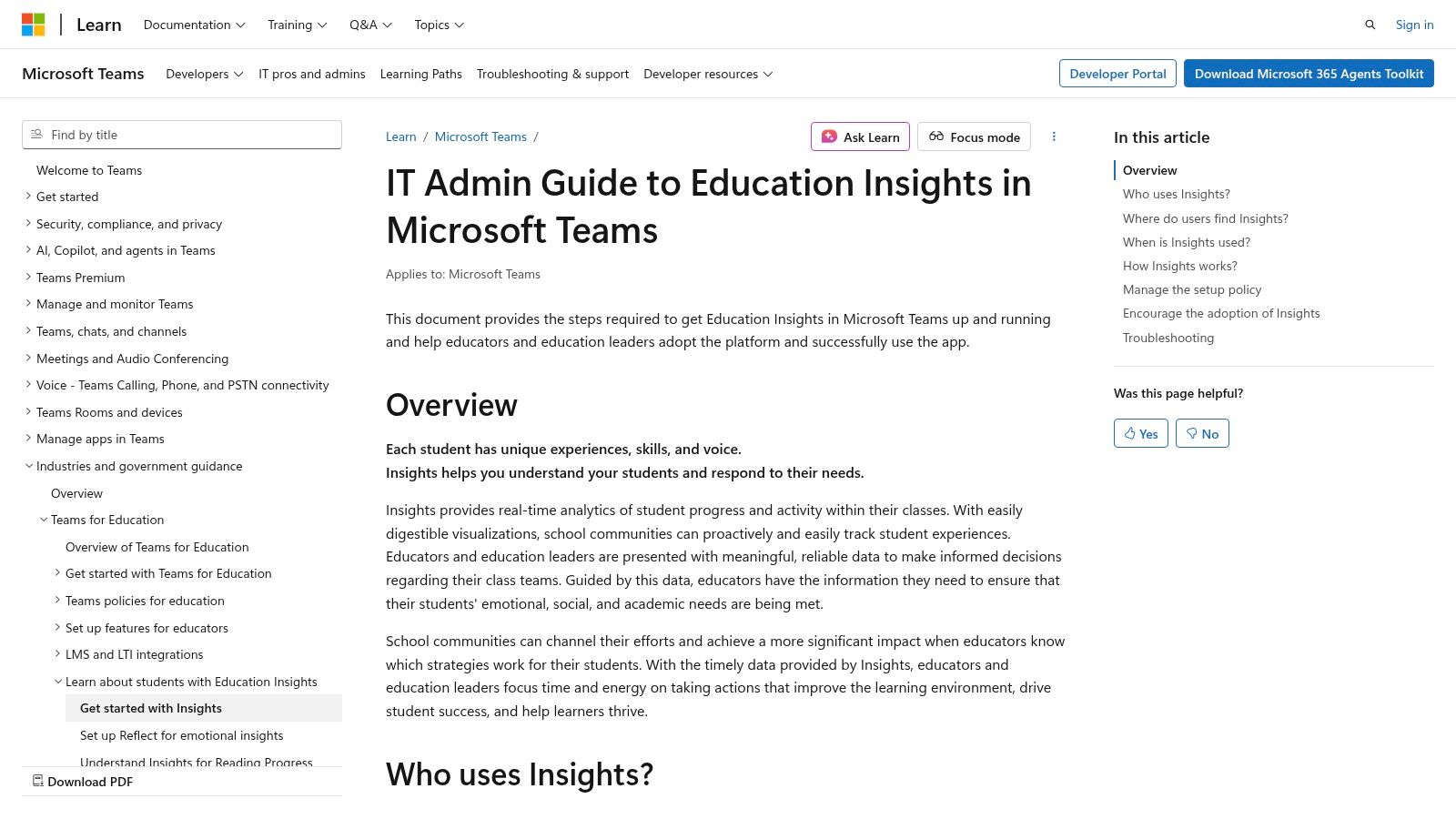
The key advantage of Insights is its seamless integration, which presents at-a-glance data on assignment turn-ins, class engagement, and communication activity. Tutors can view holistic dashboards for an entire class or drill down to individual student reports, identifying who is actively participating and who might be falling behind. To enhance functionality and manage records, you might find a complete guide to Microsoft Teams transcription helpful.
Core Features & Use Cases
- Integrated Dashboards: Insights provides class and individual dashboards that track digital activity, assignment status, and communication patterns. Tutors can quickly spot trends like late submissions or decreased participation.
- All-Classes Overview: Operations managers can use the overview to see data across multiple classes. Filters allow for drilling down by specific metrics, helping to identify systemic issues or high-achieving cohorts.
- Actionable Data Points: The platform highlights specific behaviors, such as working late at night or being inactive in discussions. This enables proactive, targeted support for students who need it most.
- Enterprise-Grade Security: For organizations handling sensitive student data, Teams provides robust security and compliance controls, including adherence to FERPA and GDPR standards, ensuring student privacy is protected.
Limitations and Pricing
The Insights app is a powerful feature, but it requires a Microsoft 365 for Education license (such as the free A1 plan or paid A3/A5 plans). The platform delivers the most value when an entire tutoring center standardizes on Teams. However, it does not include essential business functions like client billing, scheduling, or payroll.
Website: https://learn.microsoft.com/microsoftteams/class-insights
4. Canvas by Instructure
As a leading Learning Management System (LMS) in higher education and K-12, Canvas by Instructure offers a robust, scalable platform for tracking student progress. It’s built for institutions that need deep integration, extensive reporting, and a mature ecosystem. For large tutoring organizations or multi-branch academies, Canvas provides the infrastructure to monitor course activity, engagement, and grades at both micro and macro levels.
Its main advantage lies in its power and scalability. While simpler tools might suffice for small operations, Canvas is designed for organizations requiring strong uptime and the ability to connect with over a thousand third-party tools. This makes it one of the best apps for tracking student progress in a formal, structured educational environment.
Core Features & Use Cases
- Course Analytics & Reporting: In-app dashboards provide tutors and administrators with views on student activity, assignment submissions, and current grades. This is ideal for quickly identifying students who are falling behind in a specific course.
- Canvas Data for Custom Reporting: For data-savvy organizations, Canvas Data allows for exporting raw data to build custom dashboards in tools like Tableau or Power BI. This can track student progress across multiple courses or locations.
- Extensive Integrations: With over 1,000 integrations, centers can connect specialized learning tools for subjects like math or language arts, pulling diverse performance metrics into one centralized system.
- Scalable Cloud Infrastructure: Built for large institutions, Canvas offers excellent uptime, making it suitable for multi-site tutoring organizations that cannot afford system downtime.
Limitations and Pricing
Canvas is an enterprise-grade solution with a price tag to match. Pricing is quote-based and requires a significant investment in implementation and staff training. As an LMS, it lacks the operational tools tutoring centers need, such as scheduling, automated billing, and payroll management, making it an incomplete solution for running a business.
Website: https://www.instructure.com/canvas/
5. Schoology Learning (PowerSchool)
For tutoring centers and after-school programs that align closely with K-12 school districts, Schoology Learning is a robust and familiar choice. As a core component of the PowerSchool ecosystem, it excels at standards-based grading and analytics, making it one of the best apps for tracking student progress against specific academic benchmarks. Its deep integration with the PowerSchool SIS offers unparalleled data synchronization.
Its main advantage is its K-12 focus, particularly its mastery gradebook. This allows educators to move beyond simple letter grades and track how students are performing against specific learning standards, a critical feature for test prep and academic tutoring centers. The platform centralizes assignments, assessments, and communication in an interface many students and parents already know.
Core Features & Use Cases
- Standards & Mastery Tracking: The district mastery gradebook allows tutors to track progress against state, Common Core, or custom learning standards. This is perfect for identifying skill gaps for SAT, ACT, or subject-specific tutoring.
- PowerSchool SIS Integration: For centers that partner with schools using PowerSchool, the platform offers seamless grade passback and data sync. This ensures student records are consistent and eliminates manual data entry.
- App Center & Integrations: Extend Schoology’s functionality with a wide range of third-party educational tools and content providers. This allows for specialized learning experiences with progress data feeding back into the platform.
- District-Level Controls: Multi-branch tutoring organizations can enforce consistency in curriculum delivery, grading policies, and reporting across all locations, ensuring a standardized experience.
Limitations and Pricing
Schoology’s primary limitation for independent tutoring centers is its sales model. It is sold at the school and district level, with no direct-to-teacher or small business plans. Pricing is enterprise-level and quote-based, making it inaccessible for most tutoring businesses unless they partner with a larger educational institution.
Website: https://www.schoology.com
6. Moodle (Open-source LMS + MoodleCloud)
For tutoring centers that require ultimate control and customization, Moodle stands out as a powerful open-source Learning Management System (LMS). As a highly flexible platform, it offers adaptable tools for tracking student progress. It allows educators to build entire learning environments from the ground up, defining exactly how activities, courses, and competencies are monitored and reported.

Moodle's core strength lies in its modular design and extensive plugin ecosystem. You can self-host the software for free, giving you complete autonomy, or use MoodleCloud for managed hosting. This adaptability makes it one of the best apps for tracking student progress for organizations with specific pedagogical needs or the technical resources to build a tailored solution.
Core Features & Use Cases
- Activity & Course Completion: Tutors can set specific criteria for students to meet before an activity or course is marked as complete. This provides a clear, rule-based view of who is on track and who is falling behind.
- Competencies & Learning Plans: Ideal for language schools or test prep centers, this feature allows you to define mastery-based learning paths. Track a student's progress against specific skills or standards (like CEFR levels).
- Extensive Reporting Plugins: The Moodle plugin directory offers countless free and paid reporting tools. These can generate everything from simple grade reports to complex analytics dashboards visualizing student engagement.
- Customizable Gradebook: The gradebook can be configured with custom scales, categories, and calculation methods, allowing it to fit virtually any assessment model a tutoring business might use.
Limitations and Pricing
The core Moodle software is free, but costs come from hosting, setup, and maintenance. Self-hosting requires significant technical expertise. MoodleCloud offers tiered pricing for a managed solution, but the user interface can feel less modern than competitors, and it lacks the built-in business management features essential for tutoring centers.
Website: https://moodle.org
7. Seesaw
For tutoring centers focused on elementary-aged learners (K-5), Seesaw is a standout platform for tracking student progress through a unique, portfolio-driven approach. It excels at making learning visible to students, families, and educators, combining multimedia portfolios with direct communication and progress monitoring. Its highly visual and engaging interface is specifically designed for younger students.
The platform’s core strength lies in its ability to capture authentic learning moments through photos, videos, drawings, and text. This creates a rich portfolio that demonstrates growth beyond simple test scores. For tutoring centers, this provides a powerful way to showcase student achievement to parents and keep them deeply engaged in their child's educational journey.
Core Features & Use Cases
- Multimedia Digital Portfolios: Students can showcase their work using a variety of tools. Tutors can use this to track creative thinking, problem-solving skills, and project-based learning progress over time.
- Progress Dashboard: Administrators and teachers can get an at-a-glance view of student activity, skills mastery, and standards alignment. This is perfect for identifying which students need extra support.
- Family Communication Tools: Integrated messaging and announcements keep parents in the loop. Tutors can share portfolio items directly with families, providing concrete examples of their child’s progress.
- Activity Library: Tutors can access a vast library of pre-made, standards-aligned activities or create their own. This saves prep time and ensures learning objectives are being consistently met and tracked.
Limitations and Pricing
Seesaw is primarily sold to schools and districts, which can be a significant barrier for independent tutoring centers. There is not a simple, direct-to-teacher paid plan. The free version has limits on active classes and activities, with full features reserved for paid school subscriptions. It is not designed to manage the business side of a tutoring operation.
Website: https://seesaw.com/pricing
8. ClassDojo
ClassDojo focuses on communication and behavior management, making it one of the best apps for tracking student progress in younger K-12 classrooms and after-school programs. Rather than focusing on academic grades, it tracks participation, teamwork, and positive behaviors through a simple points system. For tutoring centers that need to share daily feedback with parents on a student's engagement and conduct, ClassDojo offers an intuitive solution.
Its primary strength is fostering a positive feedback loop between the tutor, student, and parents. The "Class Story" and "Portfolio" features allow tutors to share moments from the session, such as a photo of a completed project, keeping families connected. This direct line of communication is excellent for building rapport and demonstrating value beyond just test scores.
Core Features & Use Cases
- Behavior & Skill Tracking: Award points for customizable skills like "Perseverance" or "Teamwork." Tutors can generate reports to show parents trends in a student's engagement during sessions.
- Class Story & Portfolios: A social media-style feed where tutors can post photos, videos, and updates about class activities. This is perfect for group tutoring or after-school programs to showcase student work.
- Direct Family Messaging: Built-in messaging allows for quick, private communication with parents, reducing the need to juggle emails or phone calls for simple check-ins and updates.
- Family-Friendly Reporting: Parents can see their child’s point reports, view the Class Story, and message the tutor directly from their own app, encouraging active participation.
Limitations and Pricing
ClassDojo is free for teachers. However, its academic progress tracking is minimal compared to a full LMS. Advanced reports for parents are locked behind the ClassDojo Plus subscription for families. It offers no features for scheduling, billing, or managing the business operations of a tutoring center, making it a supplementary tool rather than a core platform.
Website: https://www.classdojo.com/en-us/plus/
9. Khan Academy
As a completely free educational resource, Khan Academy is an outstanding supplementary tool for tracking student progress, particularly for subject-specific skill mastery. While not a management system, it serves as an excellent curriculum and assessment companion for tutoring centers looking to assign practice, monitor understanding of core concepts, and identify specific learning gaps. It’s one of the best apps for tracking topic-level proficiency.
The platform’s strength is its focus on mastery learning. Tutors can create a class, assign lessons, and use the teacher dashboard to see which students have mastered a skill and which are struggling. The detailed reports offer actionable insights that can inform one-on-one or small-group instruction, making it a powerful, data-driven addition to any tutoring program's toolkit.
Core Features & Use Cases
- Mastery Goals & Assignment Scores: Set course mastery goals for students. The dashboard provides clear, color-coded reports showing progress towards these goals, alongside scores from specific assignments and quizzes.
- Activity & Skills Reports: View detailed reports on student activity, including time spent on videos and exercises. Tutors can see class-wide and individual skill reports, making it easy to spot common misconceptions.
- CSV Data Export: For centers that use other systems, Khan Academy allows you to export all assignment scores as a CSV file. This simplifies transferring progress data into a central SIS or a platform like Tutorbase.
- AI-Powered Teacher Tools (Khanmigo): The platform is integrating AI tools to help teachers create lesson plans, generate progress summaries, and get instructional ideas based on student performance data.
Limitations and Pricing
The core Khan Academy platform is completely free. Its primary limitation is that it is not a full-scale LMS or business management system; it excels as a content and assessment resource but does not handle scheduling, billing, or parent communication. Advanced AI features like Khanmigo are often accessed through paid school or district partnerships.
Website: https://www.khanacademy.org
10. IXL
IXL combines a skills-practice platform with a sophisticated analytics suite, making it a powerful tool for data-driven instruction. It excels at diagnosing student proficiency levels and providing targeted practice to fill knowledge gaps. For tutoring centers focused on K-12 curriculum reinforcement, IXL is one of the best apps for tracking student progress through real-time diagnostics and detailed reporting on standards mastery.
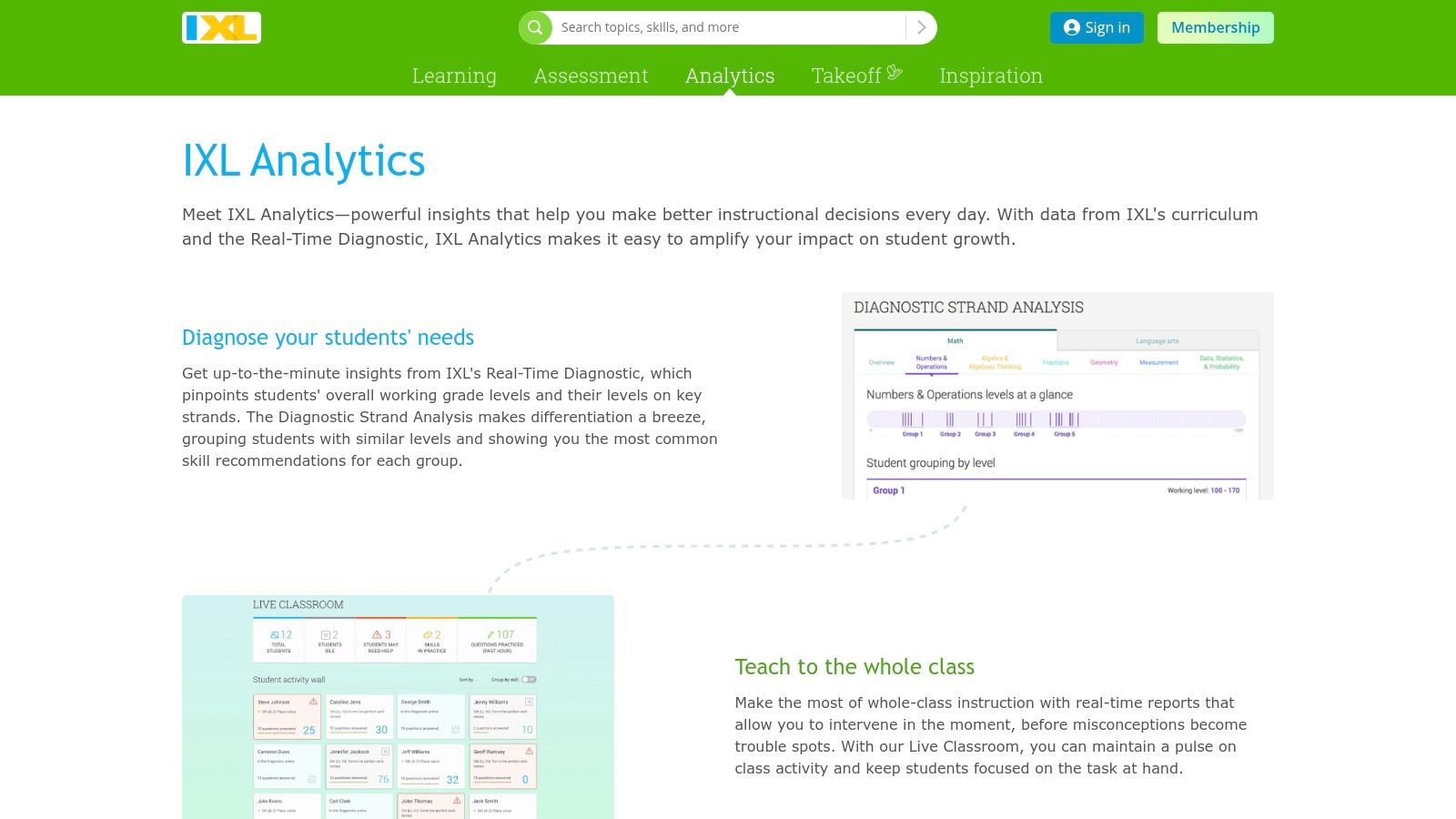
Its core strength is the Real-Time Diagnostic, which pinpoints a student's exact grade-level proficiency and creates a personalized action plan. Tutors can use the analytics suite to monitor growth, identify common trouble spots, and align instruction with specific curriculum standards. For more insights on how these reports can enhance student feedback, you can review best practices for online grading for teachers.
Core Features & Use Cases
- Real-Time Diagnostic: This tool assesses students and provides an accurate understanding of their knowledge levels. It's ideal for creating personalized learning plans for new students or adjusting instruction.
- Trouble Spots Report: Tutors can quickly identify concepts where a student or group is struggling. This feature allows for targeted intervention and small-group instruction to address specific misunderstandings.
- Progress & Growth Reports: Track student improvement over time against specific skills and standards. These reports are invaluable for parent conferences and demonstrating the impact of your tutoring services.
- Standards Alignment: IXL aligns its content with state standards and popular curricula. This is perfect for test prep academies that need to ensure their instruction meets specific academic benchmarks.
Limitations and Pricing
IXL is a skills-practice and assessment tool, not a management platform. Its best analytics features are often tied to expensive school or district-level licenses. It does not offer scheduling, billing, or other operational functions needed to run a tutoring business. Pricing is available for families, classrooms, and custom quotes for schools/districts.
Website: https://www.ixl.com/analytics
11. Nearpod
Nearpod transforms passive presentations into active learning sessions, making it an exceptional tool for tracking in-the-moment student understanding. It allows tutors to embed interactive activities like polls and quizzes directly into their lessons. This real-time feedback loop is invaluable for identifying and addressing misconceptions as they happen, making it one of the best apps for tracking student progress for engagement and participation.
The platform shines in both live, synchronous tutoring and self-paced, asynchronous review. Post-session reports provide detailed analytics on participation and performance for every student, offering a clear picture of who is grasping the material. For tutoring centers focused on group instruction, these reports are crucial for tailoring future sessions and communicating specific progress points to parents.
Core Features & Use Cases
- Interactive Lessons & Formative Assessments: Embed over 20 different activity types, including quizzes, polls, and collaborative boards, into any lesson. This is perfect for keeping students engaged during online or in-person tutoring.
- Live & Student-Paced Modes: Tutors can control the flow of a lesson in real-time or assign it for students to complete on their own schedule. This flexibility supports both homework and live instruction models.
- Post-Session Reports: After each lesson, generate detailed reports that show individual and aggregate student responses. These reports are excellent for identifying learning gaps and tracking progress.
- Content Library: Access thousands of pre-made, customizable lessons and videos. This is a time-saver for tutors who need high-quality materials for various subjects and grade levels.
Limitations and Pricing
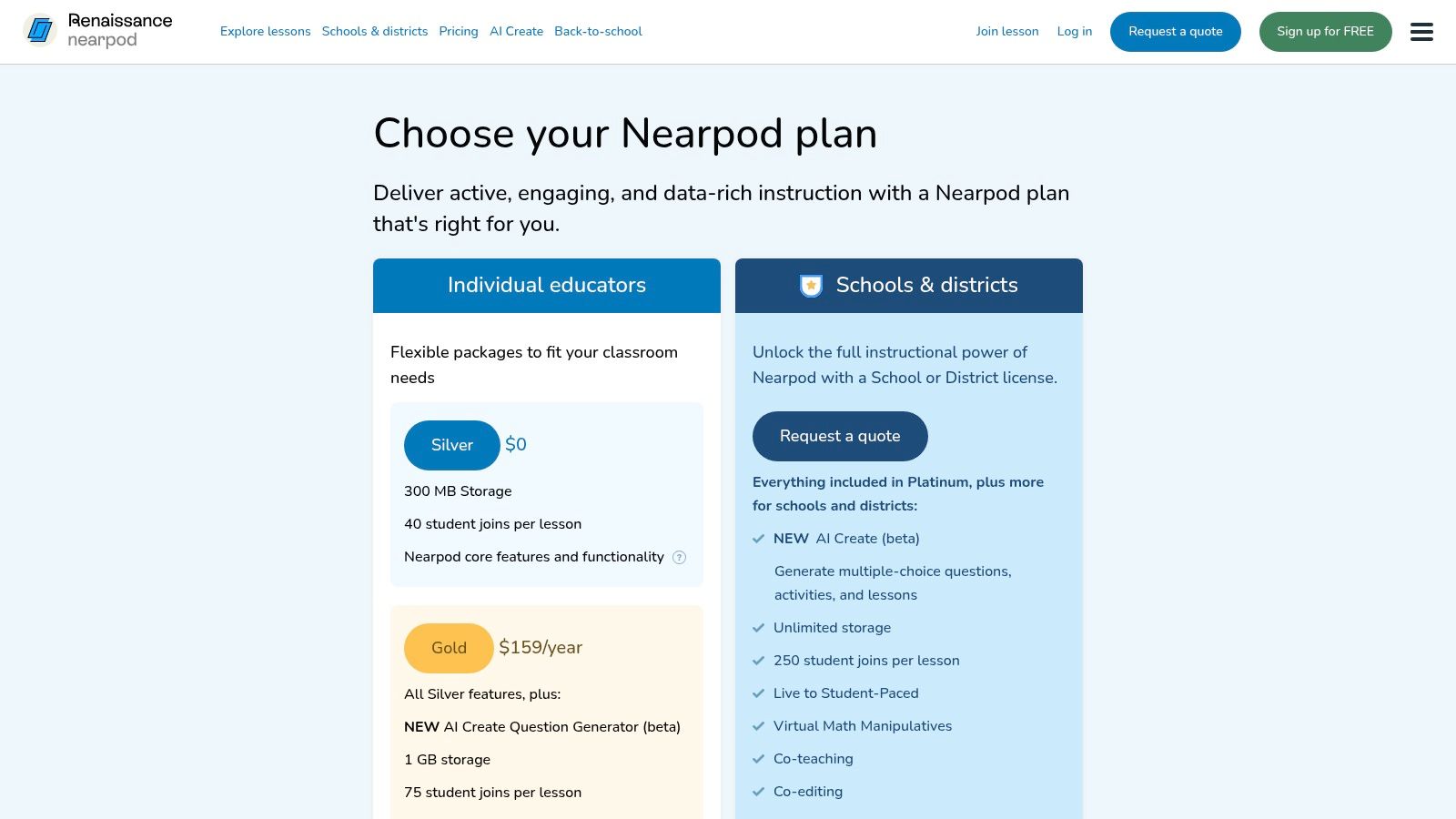
Nearpod offers a free tier, but it has significant limitations on student numbers per session (40) and storage (100MB). Paid plans unlock larger class sizes, more storage, and advanced features. For a growing tutoring center, the session size limits on lower tiers could become a constraint, making it a supplementary teaching tool rather than a core management solution.
Website: https://nearpod.com/pricing
12. TeacherKit
For the individual tutor or small group needing a lightweight, mobile-first solution, TeacherKit offers a streamlined approach to classroom management. It functions as a digital pocketbook for logging attendance, behavior, and grades, making it one of the best apps for tracking student progress when simplicity and on-the-go access are paramount. It’s designed for tutors who manage their operations directly from their phone or tablet.
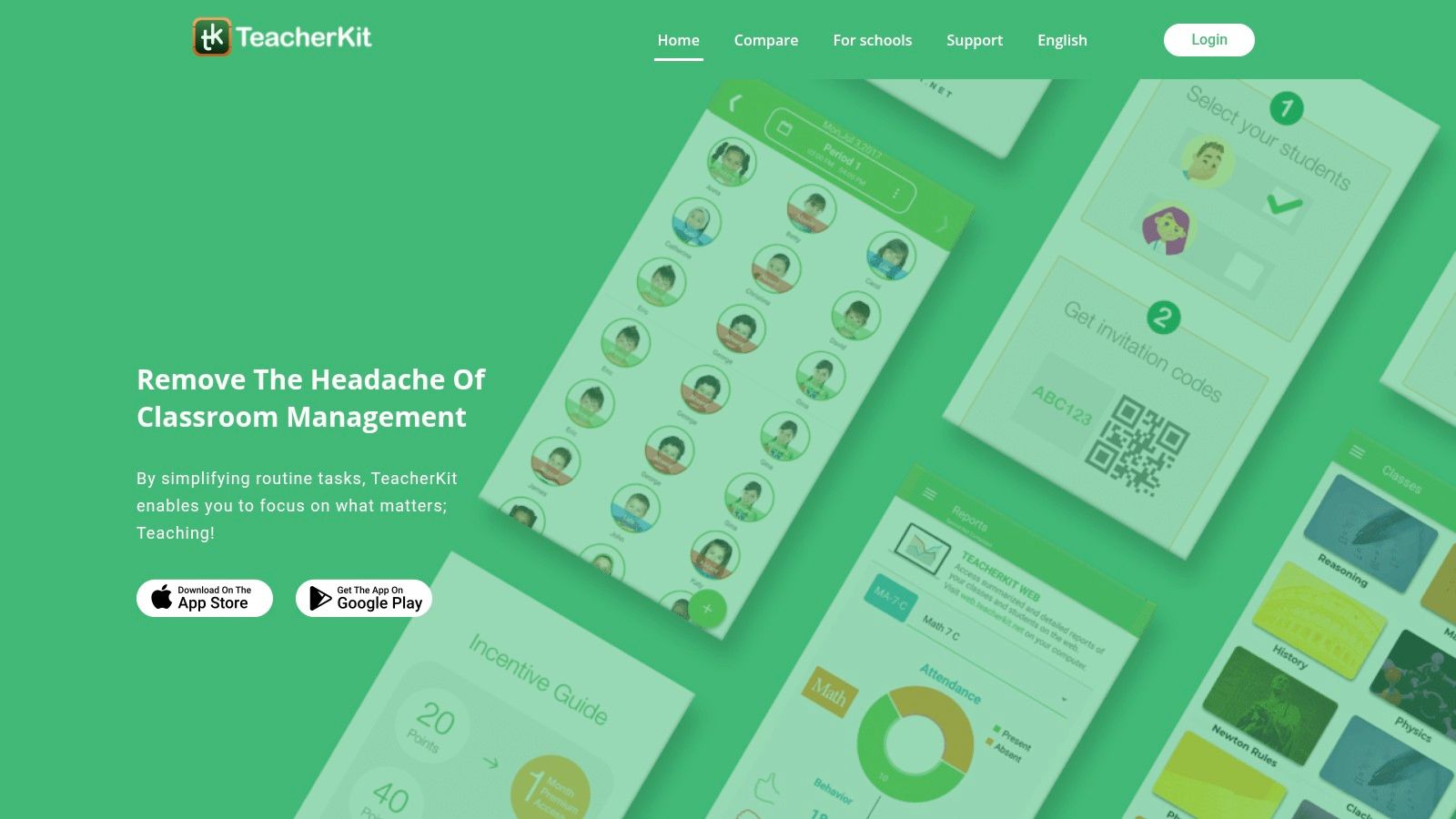
The platform’s core strength is its simplicity and offline capability, allowing tutors to record information without a constant internet connection. While it doesn't offer the complex automation of a full-scale tutoring management system like Tutorbase, its focused feature set is perfect for tracking essential data points for a small roster of students.
Core Features & Use Cases
- Gradebook & Grading Scheme: Tutors can create custom grading schemes and quickly enter scores. The system calculates averages automatically, providing a clear snapshot of academic performance.
- Behavior Tracking: Log positive or negative behaviors with a few taps. This is ideal for providing parents with holistic feedback beyond just academic scores.
- Attendance Logging: Quickly mark students as present, absent, or late. The app generates attendance reports that are useful for identifying patterns in student punctuality.
- Progress Reports: The premium version allows tutors to generate and share detailed PDF reports for individual students, summarizing their grades, attendance, and behavior.
Limitations and Pricing
TeacherKit operates on a freemium model. The free version has limits on classes and students. The Premium subscription unlocks unlimited classes and advanced reporting. Its primary limitation is its scale; it lacks the robust scheduling, automated billing, and payroll features necessary for a growing tutoring center and is not a viable long-term solution.
Website: https://www.teacherkit.net/
Top 12 Student Progress Tracking Apps — Feature Comparison
| Product | Core focus / Key features | Target audience & scale | UX / Operational impact | Value / Unique selling points | Price / Licensing |
|---|---|---|---|---|---|
| Tutorbase | AI scheduling (Find Slot/Spot), auto-billing, payroll, rooms, lead capture | Tutoring centers, language/test‑prep/music schools; 5–100+ teachers; 50–10k+ lessons/week | ~60% admin time saved; zero double‑bookings; 3x faster onboarding | All‑in‑one automation; complex payroll; multi‑branch & WhatsApp intake; prevents revenue leakage — recommended | Quote-based; contact sales (no public per-seat price) |
| Google Classroom (Google for Education) | Assignment workflows, gradebook, progress tracking, guardian summaries | K‑12 teachers and schools using Google Workspace | Familiar UI; easy adoption; basic analytics; quick teacher onboarding | Seamless Google app integration; clear tiers for schools | Free core; paid Workspace for Education tiers for advanced features |
| Microsoft Teams for Education + Insights | Class workspace + Insights dashboards for engagement & assignments | K‑12 and districts standardized on Microsoft 35 | Integrated inside Teams; enterprise security/compliance | Actionable in‑app analytics; single sign‑on with MS ecosystem | Requires Microsoft 365 for Education licensing (org-level) |
| Canvas by Instructure | Cloud LMS with course analytics, Canvas Data, extensive integrations | K‑12 & higher ed institutions; scalable multi‑site deployments | Robust but requires implementation and training; high uptime | Mature ecosystem; powerful integrations and data exports | Quote-based enterprise pricing |
| Schoology Learning (PowerSchool) | K‑12 LMS with standards/mastery gradebook and SIS sync | K‑12 districts and schools (district-level deployments) | District controls for consistency; integrated workflows | Deep PowerSchool SIS integration; mastery tracking | Enterprise/quote-based (district licensing) |
| Moodle (Open-source / MoodleCloud) | Activity/course completion, competencies, plugin ecosystem | Schools, orgs needing customization; self-host or hosted | Highly customizable; setup/admin effort required | Free core software; large plugin marketplace; flexible hosting | Free self-host; paid hosting or MoodleCloud options |
| Seesaw | Student portfolios, family communication, progress dashboards | Elementary (K‑5), schools/districts focused on family engagement | Family‑friendly UI; strong engagement and templates | Excellent parent visibility; standards alignment | School/district licensing (quote-based) |
| ClassDojo | Classroom communication, behavior points, class stories | Elementary classrooms and families | Fast setup; high family engagement; mobile-first | Simple behavior reporting; free core; family‑facing features | Free core; ClassDojo Plus subscription for families |
| Khan Academy | Curriculum, mastery goals, teacher dashboards, CSV exports | Teachers and students as a curriculum/assessment companion | Free and accessible; clear mastery reports; low friction | Free core content; optional AI tools (Khanmigo via partnerships) | Free core; some features via district partnerships |
| IXL | Skills practice plus diagnostics and analytics (Live Classroom, Progress) | K‑12 classrooms and districts focused on diagnostics | Teacher‑friendly reports; growth monitoring at scale | Real‑time diagnostics; standards alignment; district analytics | School/district licenses; pricing varies by contract |
| Nearpod | Interactive lessons, formative checks, post‑session reports | K‑12 teachers and tutors using interactive lessons | Engaging live & student‑paced modes; immediate feedback | Large content library; AI question generator on higher tiers | Free tier; paid plans with higher limits and features |
| TeacherKit | Attendance, gradebook, behavior tracking; mobile + web | Solo tutors and small teaching teams | Quick setup; offline‑first mobile workflows | Lightweight, portable class manager ideal for small groups | Freemium with Premium subscription for syncing/features |
How do you choose the right platform?
Navigating the landscape of student progress tracking tools reveals a crucial truth: the "best" app depends entirely on your business model and operational scale. While a solo tutor might find a simple tool like TeacherKit adequate, growing tutoring centers quickly discover the hidden costs of using disconnected solutions. The core problem is not a lack of data, it's the administrative chaos that comes from managing it across fragmented platforms.
For a multi-teacher business, tracking student progress is not an isolated task. It is deeply intertwined with scheduling, billing, and payroll. Using Google Classroom for assignments, a separate app for attendance, and spreadsheets for invoicing creates a significant administrative burden. This fragmentation consumes over 10 hours of administrative work each week, leading to booking errors, missed payments, and a ceiling on your business’s growth.
This is where a dedicated tutoring management system like Tutorbase distinguishes itself. It is not merely another progress tracker. Instead, it serves as the central operational hub for your entire business. Student progress tracking, through features like detailed attendance logs and shared teacher notes, is natively integrated with the systems that drive your revenue. When a tutor marks a student as "Attended," that data point instantly and automatically informs the billing and payroll engines.
The tangible benefits of this consolidated approach are significant. Tutoring centers using an integrated platform report a 60% reduction in administrative time, a complete elimination of double-bookings, and a 42% increase in monthly student renewals. By shifting from a collection of siloed tools to a unified system, you transform progress tracking from a reactive, administrative chore into a proactive driver of growth, student retention, and operational excellence.
Frequently Asked Questions (FAQ)
What is the difference between an LMS and a tutoring management system?
A Learning Management System (LMS) like Canvas or Moodle is designed to deliver educational content, manage assignments, and facilitate online learning. A tutoring management system like Tutorbase is business operations software designed to run a tutoring center. It handles scheduling, billing, payroll, CRM, and multi-location management, with student tracking as an integrated component of the business workflow.
How do I choose the right student tracking app for my language school?
Language schools should prioritize apps that can track level-based progression (e.g., CEFR levels A1, A2, B1). Look for features that allow you to define custom subjects and levels, manage group class schedules, and handle complex pricing for different courses. An integrated system is often superior, as it connects student progress directly to course packages and billing cycles.
Can these apps integrate with my existing billing software?
Some apps offer limited integrations, often through third-party tools like Zapier. However, these connections can be fragile and require maintenance. An all-in-one tutoring management platform avoids this issue by including native billing, invoicing, and payment processing, which are automatically triggered by attendance and scheduling data, ensuring accuracy and saving time.
What is the most important factor for a multi-branch tutoring center?
Centralization. For a multi-branch operation, the ability to manage all locations, rooms, teachers, and students from a single dashboard is critical. A system that offers features like multi-location room management, brand separation, and unified reporting is essential for maintaining consistency and visibility across your entire organization.
As a solo tutor, when should I switch from a simple app to a full system?
The tipping point is usually when administrative tasks start consuming more than 5-7 hours per week or when you plan to hire your first tutor. If you are spending evenings manually creating invoices, chasing payments, or struggling to coordinate schedules, it's time to adopt a system that automates these processes so you can focus on teaching and growing your business.
Ready to stop juggling disconnected apps and start building a more efficient, profitable tutoring business? Tutorbase consolidates your scheduling, billing, payroll, and student tracking into a single, powerful platform. See how our AI-powered tools can cut your admin time by 60% and help you grow.


