


Key Takeaway: The best software for homeschool tutoring businesses centralizes scheduling, billing, payroll, and parent communication to reduce administrative time. For growing centers, AI-powered platforms like Tutorbase automate complex operations, from finding optimal class times to processing invoices, saving owners over 10 hours per week.
Running a homeschool tutoring business means juggling schedules, payments, lesson plans, and parent communications. As you grow from a solo tutor to a multi-teacher operation, spreadsheets and calendar hacks become a major bottleneck. Manual invoicing leads to late payments, double-bookings cause chaos, and administrative tasks consume hours that should be spent teaching. The right software doesn't just organize your business; it automates the tedious operational tasks that limit your growth and profitability.
This guide reviews the 12 best software for homeschool tutoring businesses in 2026. We've moved beyond surface-level feature lists to provide a comprehensive analysis of tools designed for every stage of growth, from simple appointment booking to full-scale, multi-tutor management. Each review includes a detailed breakdown of core features like scheduling, billing, parent communication, and payroll, complete with screenshots and direct links to help you evaluate your options.
We will provide a clear breakdown of who each tool is best for, highlighting pros, cons, and specific pricing tiers. Whether you're an independent tutor managing your first ten students or a growing co-op needing a centralized system, this list will help you find the platform to reclaim your time, professionalize your operations, and scale your impact. We'll show you how to find the right fit to move beyond administrative chaos and focus on what truly matters: teaching.
1. Tutorbase
Tutorbase is an AI-powered tutoring management software designed to replace fragmented tools like Teachworks, TutorCruncher, and spreadsheets. It is built for tutoring centers and language schools with 5-100+ teachers, managing 50 to over 10,000 lessons per week. It centralizes scheduling, billing, payroll, and multi-branch room management into a single platform, making it a standout option among the best software for homeschool tutoring businesses aiming for operational efficiency at scale.
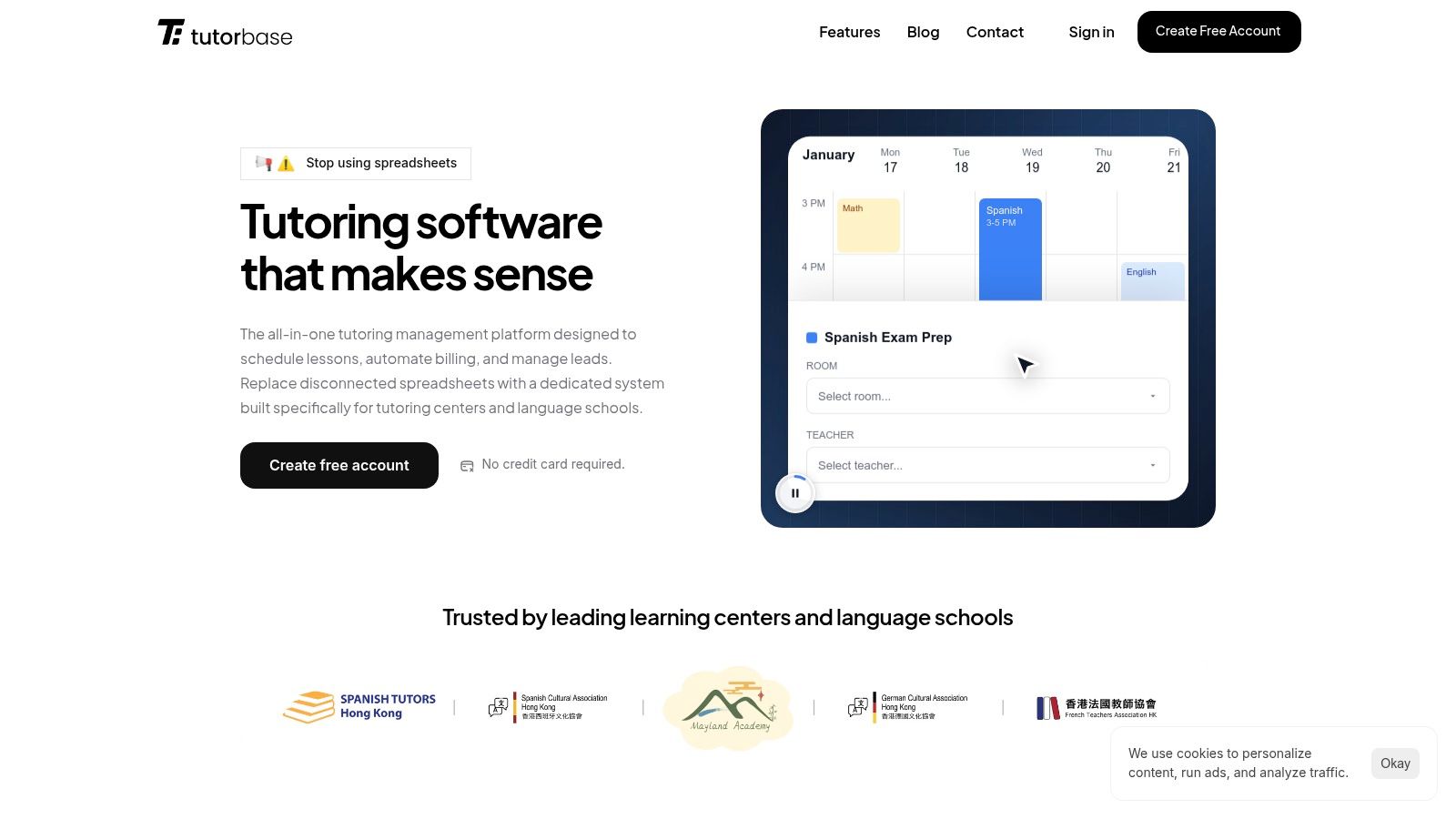
Why It Stands Out: AI-Driven Scheduling & End-to-End Automation
Tutorbase excels with its "Find Slot" feature, which auto-generates optimal teacher, room, and time combinations, reducing booking time from over 10 minutes to under two. This eliminates double-bookings and revenue loss. Its end-to-end automation means marking attendance automatically triggers invoicing, deducts payments from prepaid credit balances, and calculates complex teacher payroll. This flow helps businesses reduce administrative time by up to 60%.
The platform is engineered for scale, handling high lesson volumes without performance degradation. For multi-branch operations, Tutorbase provides a unified dashboard to manage resources and branding across different locations, a feature that distinguishes it from competitors.
Key Features for Homeschool Tutoring Businesses
- Smart Scheduling: AI-powered "Find Slot" prevents conflicts and optimizes resource utilization.
- Automated Billing: Auto-generates invoices from attendance data and supports prepaid credit balances.
- Complex Payroll: Handles diverse models like revenue share, per-student rates, and premiums.
- Multi-Branch Management: Manages rooms, teachers, and branding across multiple locations from one dashboard.
- Integrated CRM: Captures leads from a WhatsApp widget and website forms, tracking them through a conversion pipeline.
Pricing and Onboarding
Tutorbase provides custom pricing based on the size and complexity of your operation, which requires a demo. This model ensures you only pay for what you need but involves a direct sales interaction. As a replacement for multiple systems, expect a planned migration and setup period.
Website: https://tutorbase.com
2. Teachworks
Teachworks is a well-established operations platform designed specifically for tutoring centers and small-to-medium educational businesses. It excels at managing the core administrative tasks that often consume hours of a homeschool tutoring business owner's time, such as complex scheduling for both one-on-one and group sessions, invoicing, and managing lesson packages. Its feature set is particularly strong for businesses that bill based on lesson attendance rather than simple monthly subscriptions.
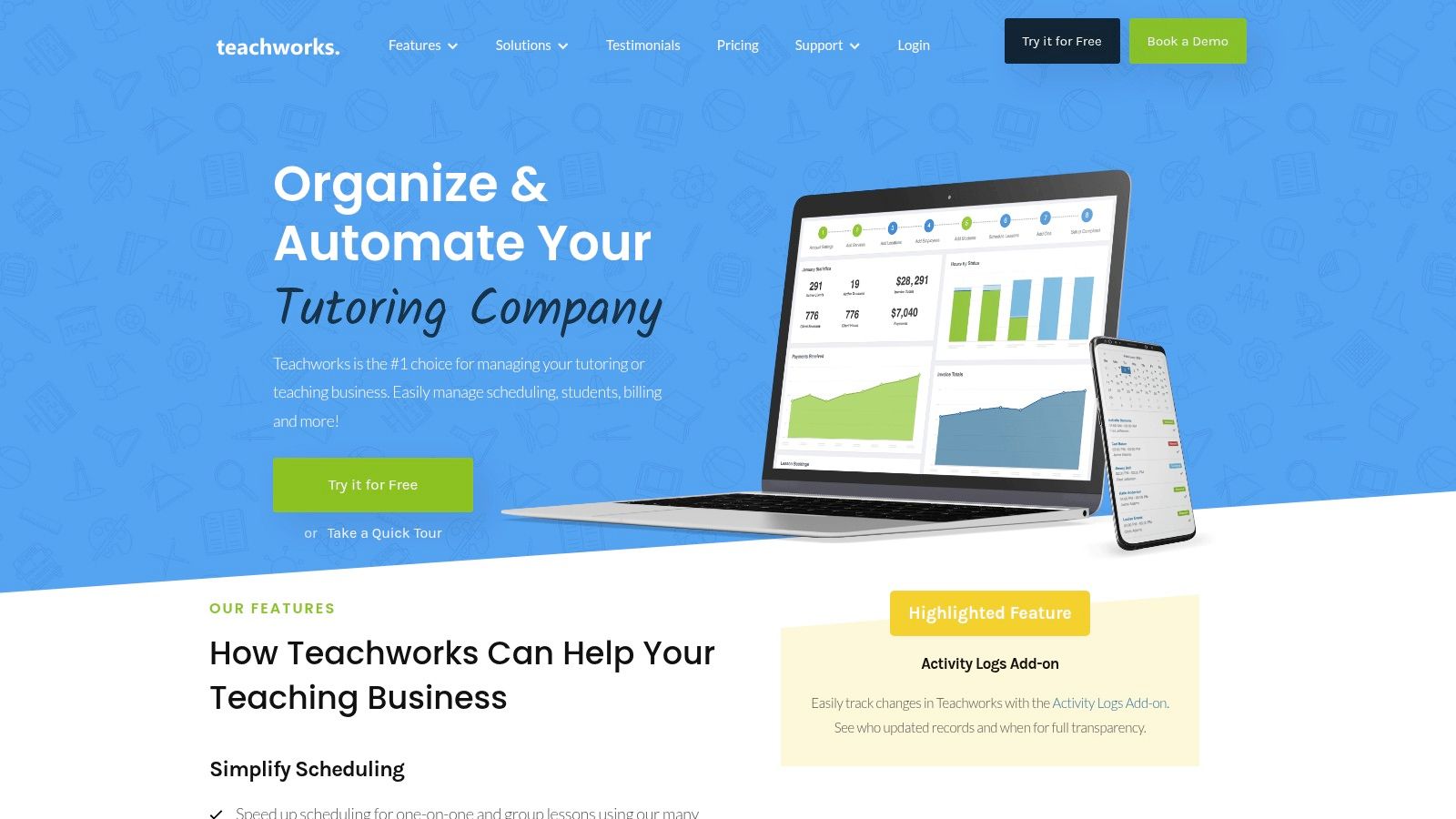
The platform provides a client portal where parents and students can book their own lessons, view schedules, and track their remaining lesson credits, which reduces back-and-forth communication. For growing operations, Teachworks supports multi-branch management and offers API access on higher-tier plans, allowing for custom integrations. As one of the more mature options in the market, it provides a stable and reliable foundation for managing day-to-day tutoring logistics. For a detailed comparison, you can explore more about Teachworks on tutorbase.com.
Key Features and Pricing
Teachworks' pricing is unique, combining a base monthly fee with a per-student-lesson charge. This usage-based model can be cost-effective for smaller businesses or those with fluctuating student numbers, as costs align directly with business activity.
- Scheduling: Robust calendar with support for 1:1, group, and recurring lessons, plus automated email and SMS reminders.
- Billing & Invoicing: Flexible models including calendar-based billing, prepaid lesson packages, and flat fees, with automated invoice generation.
- Pros: The pay-per-lesson model scales with your business, and its multi-location features are ideal for expansion.
- Cons: The pricing structure can make monthly costs harder to predict compared to a flat-rate plan, requiring careful forecasting for your budget.
Website: https://teachworks.com
3. TutorCruncher
TutorCruncher is a comprehensive tutoring business operating system designed to manage a company from end to end. It integrates a powerful CRM for lead management with core operational tools, including scheduling, automated invoicing, payments, and even tutor payroll. This all-in-one approach makes it an excellent choice for homeschool tutoring businesses looking to streamline their entire workflow, from attracting new clients to paying their tutors, all within a single platform.
The software excels at creating a seamless flow of information. For instance, a lead captured through its pipeline CRM can be converted into a client, scheduled for lessons, automatically invoiced, and their tutor's pay calculated without leaving the system. This level of integration is a significant time-saver for business owners handling every aspect of their operations, positioning TutorCruncher as one of the best software for homeschool tutoring businesses that prioritize efficiency and growth.
Key Features and Pricing
TutorCruncher's pricing is tiered, typically starting with a base fee and scaling with the number of active tutors. They also offer enterprise-level solutions. A key consideration is the platform's payment processing fees, which are separate from the monthly subscription and can influence the total cost of ownership.
- Scheduling: Features a central calendar, lesson reports, and automated SMS/email reminders to reduce no-shows.
- Billing & Payroll: Offers automated invoicing, online payments, and sophisticated payroll automation, including split payments for multi-tutor sessions.
- Pros: The platform’s end-to-end functionality from lead intake to payroll is a major strength, and the included onboarding support helps new users get up and running quickly.
- Cons: The payment processing fees (often between 3.5% and 3.85%) are an additional cost that can add up, potentially increasing the overall expense compared to platforms with lower or no transaction fees.
Website: https://tutorcruncher.com
4. Teach ’n Go
Teach ’n Go is an all-in-one school and tutoring management system that stands out with its transparent, student-based pricing model. It's designed for businesses that want every feature included from the start, without needing to upgrade plans to unlock advanced tools. The platform offers a comprehensive suite covering scheduling, attendance, parent/student portals, billing with Stripe and PayPal integration, teacher payroll, and detailed reporting, including transcripts. This makes it a strong contender among the best software for homeschool tutoring businesses that prefer a predictable cost structure.
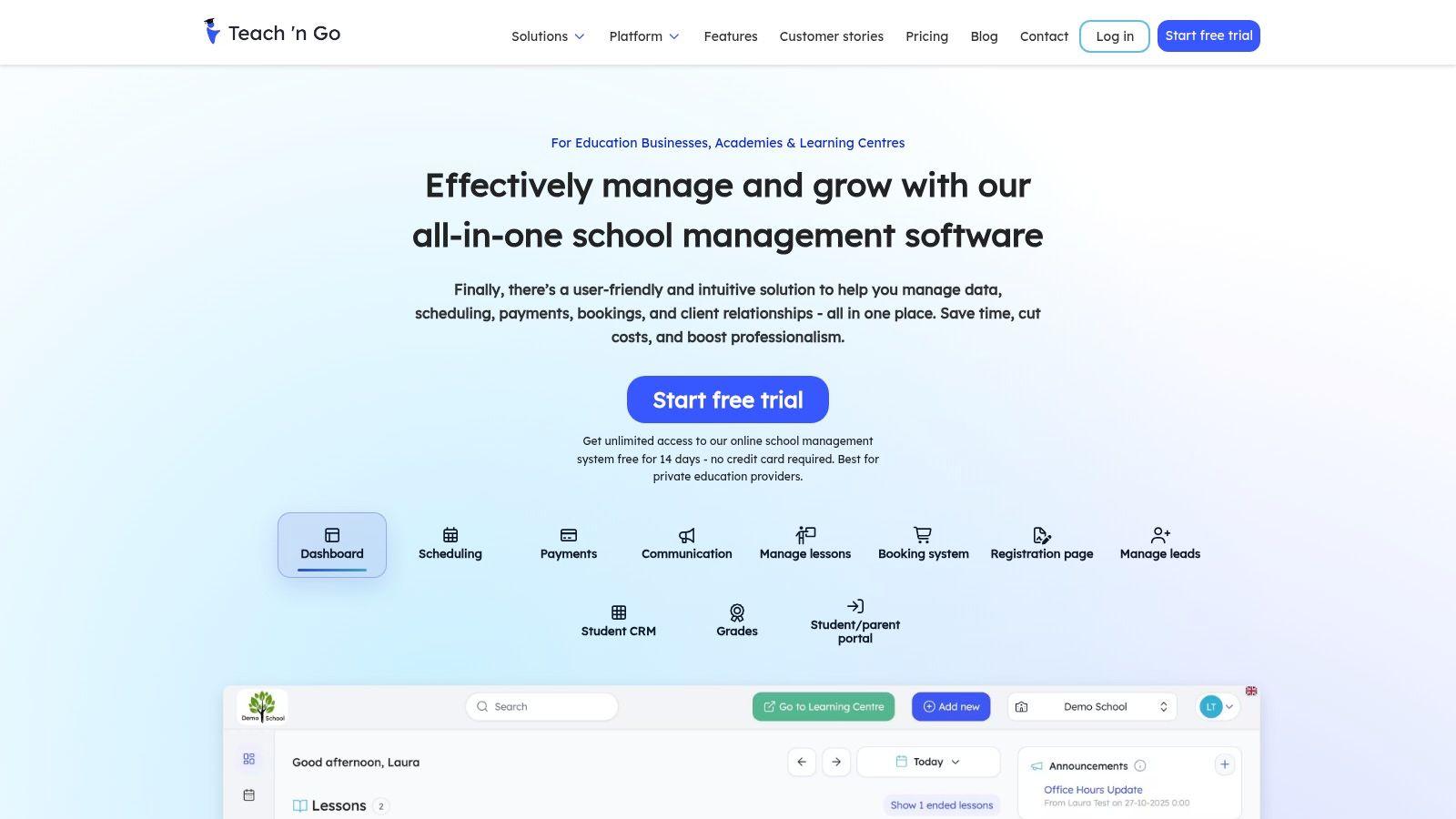
The platform is particularly appealing because its pricing tiers are determined solely by the number of active students, ensuring you never pay for features you don't use while still having access to the full toolkit. This simplicity removes the complexity of comparing feature-gated plans and allows a growing homeschool tutoring business to scale its costs directly with its student base. The onboarding process is straightforward, helping new users get up and running quickly with powerful tools for managing their entire operation from a single dashboard.
Key Features and Pricing
Teach ’n Go’s pricing is based on clear tiers defined by the number of active students, with all features available on every plan. This model provides full functionality whether you have 15 students or 150, making it an accessible and scalable solution.
- Scheduling & Attendance: Powerful scheduling calendars for classes and resources, coupled with easy attendance tracking.
- Billing & Payments: Automated invoicing and billing with integrated support for popular payment gateways like Stripe and PayPal.
- Pros: The all-features-included model simplifies decision-making, and the student-based tiers offer transparent, predictable scaling.
- Cons: Its pricing is presented with a European focus, so USD customers may need to account for currency conversion, taxes, or fees.
Website: https://www.teachngo.com
5. Classcard
Classcard is a management application designed for businesses that handle classes and memberships, making it a strong contender for homeschool tutoring operations that are expanding. It excels at managing scheduling, online bookings, and automated invoicing, particularly for businesses with multiple branches or locations. Its comprehensive feature set is geared towards simplifying the complexities of running a multi-faceted educational service, from attendance tracking to staff and student management via dedicated mobile apps.
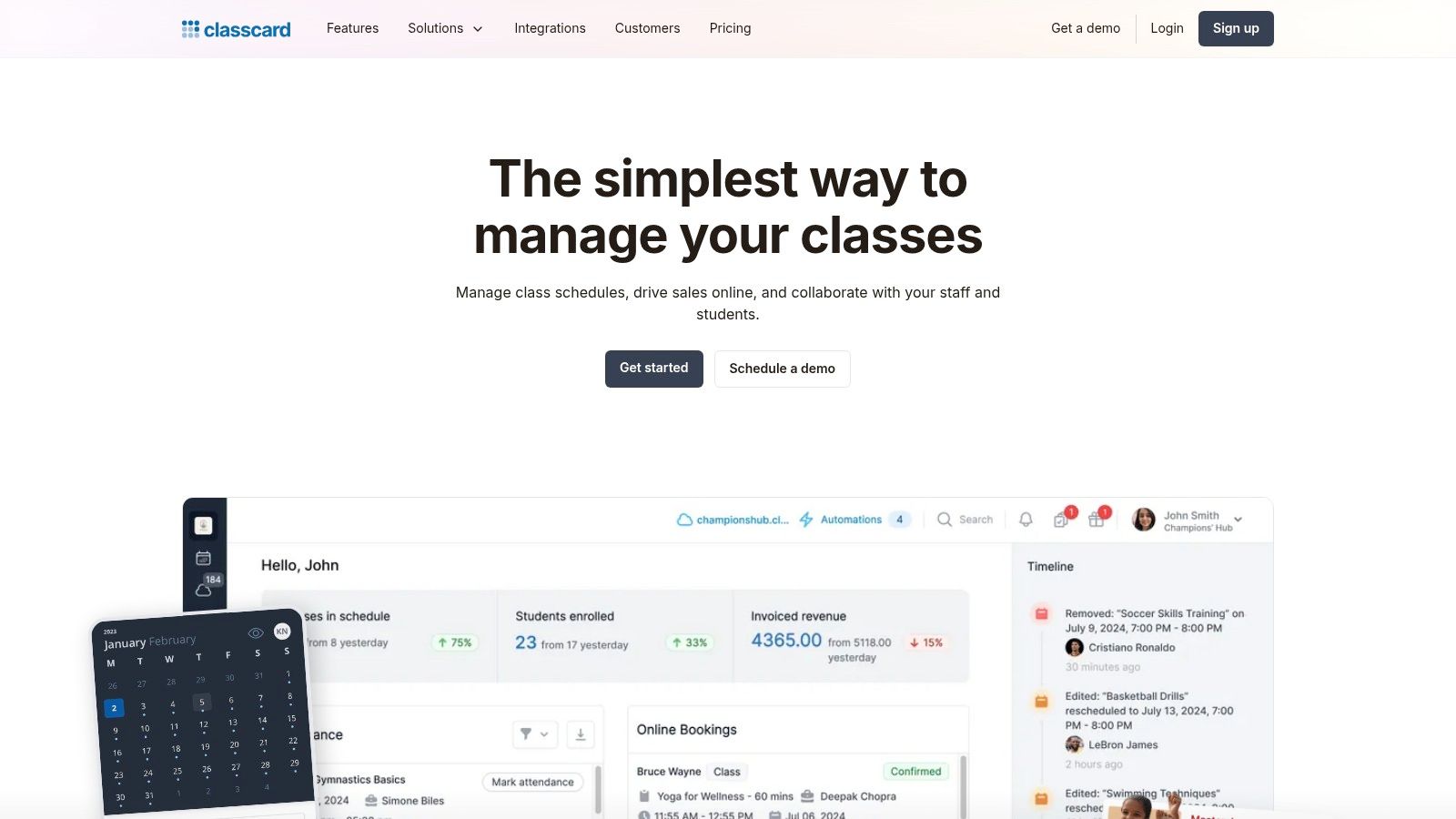
The platform focuses heavily on accessibility and control, offering features like timezone localization and granular access controls for different staff members. This makes it one of the more suitable options for a growing homeschool tutoring business looking to standardize operations across several tutors or even physical sites. For businesses prioritizing mobile access for their team, Classcard provides a practical and efficient solution that supports growth without requiring a massive initial investment.
Key Features and Pricing
Classcard offers a short free trial to allow businesses to test its capabilities. While its public website does not display specific dollar pricing for all tiers, its model is aimed at providing SMB-friendly pricing, though some higher-tier plans require contacting their sales team for a quote.
- Scheduling: Features online self-check-in and booking for students, alongside attendance tracking tools for administrators.
- Billing & Invoicing: Supports membership-based models with automated invoicing and integrated payment links for easy settlement.
- Pros: Its multi-branch management toolkit is robust and competitively priced for small to medium businesses, and the dedicated iOS staff app allows for quick on-the-go administration.
- Cons: The lack of transparent pricing tables for all plans can be a hurdle, and the need to engage with sales for certain plans adds a step to the evaluation process.
Website: https://www.classcardapp.com
6. Jackrabbit Class
Jackrabbit Class is a mature, all-in-one class management platform widely adopted by youth activity centers, including dance studios, gyms, and music schools. For homeschool tutoring businesses, its strength lies in providing a polished, reliable parent experience for registration, billing, and scheduling. While not built exclusively for academic tutoring, its robust architecture supports appointments and private lessons, making it a viable option for businesses that need rock-solid operational stability and a comprehensive feature set from day one.
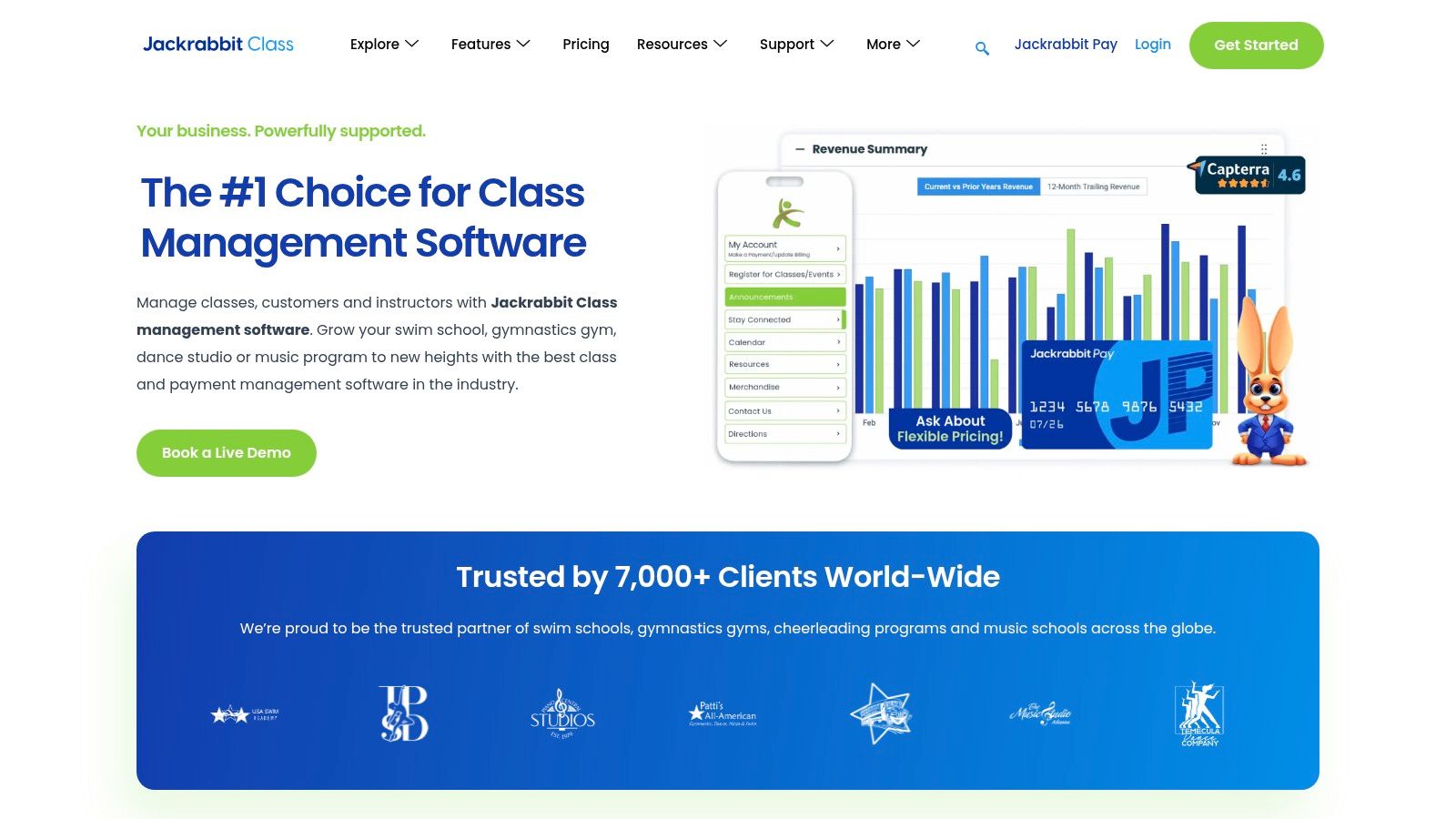
The platform is designed to handle high volumes of registrations and payments, which is a major benefit for growing homeschool co-ops or group tutoring programs. It features an extensive parent portal, automated billing cycles, and detailed reporting dashboards that give business owners a clear view of their operations. For an extra fee, businesses can even offer a branded mobile app (Jackrabbit Plus), elevating the customer experience. This makes it one of the best software for homeschool tutoring businesses that prioritize a professional, customer-facing interface.
Key Features and Pricing
Jackrabbit Class uses a tiered pricing model based on the number of active students, which makes it predictable and scalable. All core features are included across every tier, so businesses are not locked out of essential functionality as they start.
- Scheduling: Online registration and scheduling tools that support both group classes and private appointments/lessons.
- Billing & Invoicing: Automated billing and payments, extensive financial reporting, and a staff time clock for payroll management.
- Pros: It is a mature, stable platform with a proven track record for reliability and a strong parent portal experience.
- Cons: The platform is oriented toward youth activities, meaning some of its terminology and workflows may need adaptation for a pure academic tutoring model.
Website: https://www.jackrabbitclass.com
7. Squarespace Scheduling (Acuity Scheduling)
Squarespace Scheduling, formerly known as Acuity Scheduling, is a powerhouse for appointment and client booking management. While not a full tutoring management system, it provides a polished and user-friendly front end for solo or micro homeschool tutors whose primary need is a seamless self-booking experience for parents. It excels at managing individual and staff calendars, sending automated reminders, and processing payments directly at the time of booking, which significantly reduces no-shows and administrative follow-up.
The platform allows for the sale of lesson packages, memberships, and gift certificates, making it a flexible tool for various business models. Its strength lies in its simplicity and professional presentation, creating an excellent first impression for new clients. For tutors who already have a website or are starting a new one, it integrates beautifully, creating a single, cohesive online presence. When considering such tools, understanding the full scope of building an appointment website can provide valuable insights into how a sophisticated booking engine fits into your broader digital strategy. This makes it one of the best software options for homeschool tutoring businesses focused on booking simplicity.
Key Features and Pricing
Squarespace Scheduling offers several subscription tiers, starting with a plan suitable for a single professional and scaling up to support multiple staff members and locations. Pricing is based on the number of calendars and advanced features needed.
- Scheduling: Provides unlimited service and appointment booking with automatic timezone conversions, client self-scheduling, and customizable intake forms.
- Billing & Invoicing: Integrated payments through Stripe, Square, and PayPal. Supports the sale of lesson packages, memberships, and gift certificates.
- Pros: Exceptionally fast to set up and implement, offering a premium client booking experience that scales from solo tutors to small teams.
- Cons: It is not a comprehensive student information system or LMS. Deeper invoicing, student progress tracking, and complex payroll will require additional software.
Website: https://www.squarespace.com/scheduling
8. Calendly
While not a full-suite tutoring management system, Calendly is a household name in scheduling automation and serves a crucial role for many homeschool tutoring businesses, particularly at the top of the funnel. It excels at streamlining the initial booking process for consultations, student assessments, and trial lessons. Its user-friendly interface is widely recognized, making it easy for prospective parents to book a time without any back-and-forth emails, integrating directly into a tutor's existing calendar.
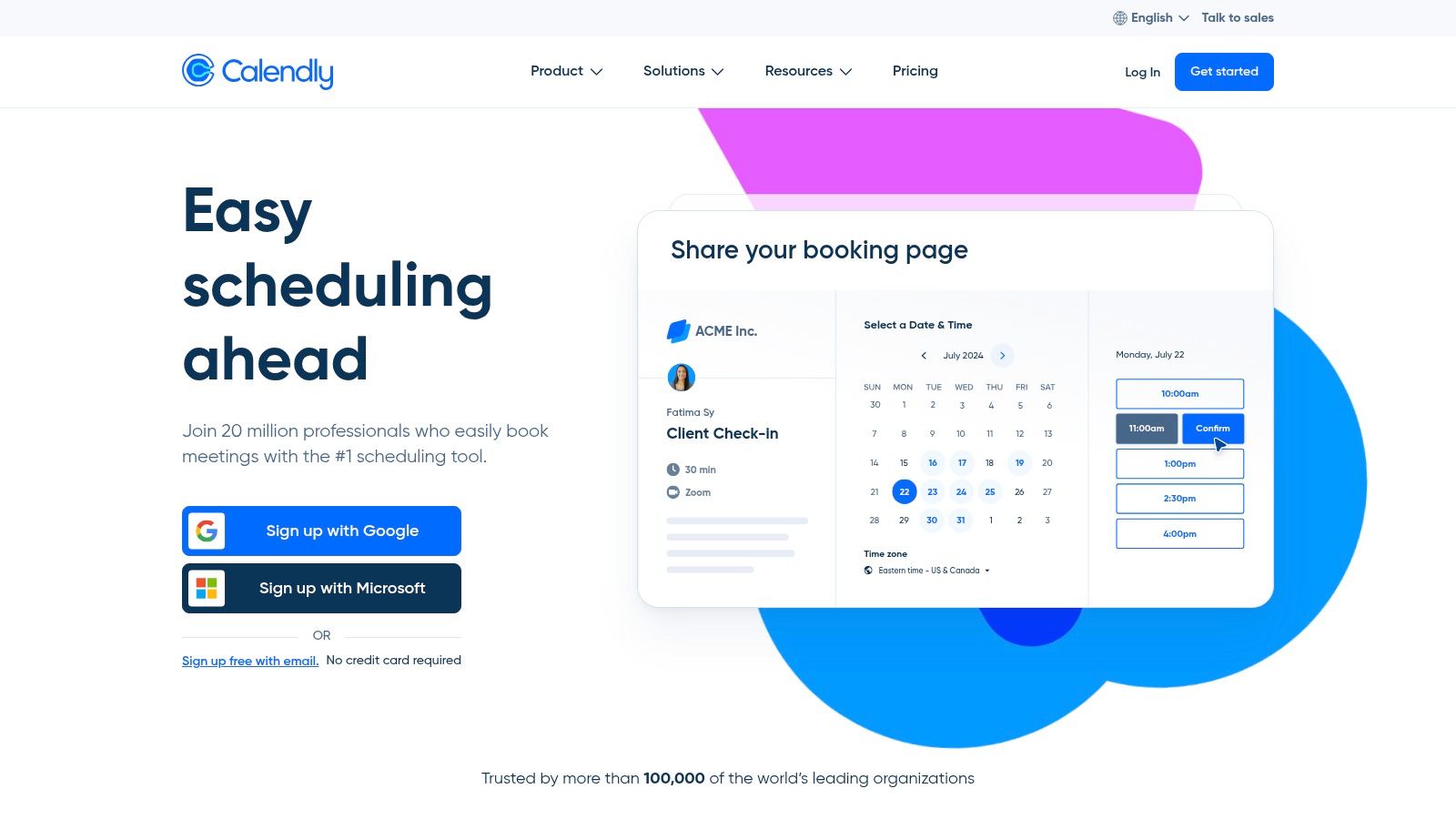
The platform’s power lies in its extensive integrations. A homeschool tutor can connect Calendly to their CRM to automatically create a lead, link it to payment processors like Stripe or PayPal to take a deposit for a trial session, and use Zapier to trigger a cascade of other automated workflows. For businesses focused on lead generation and seamless initial client contact, Calendly is one of the best software tools for homeschool tutoring businesses to handle that specific, critical first step.
Key Features and Pricing
Calendly offers a free tier that is often sufficient for solo tutors handling simple one-on-one bookings. Paid plans unlock team features, routing, and more advanced customization and integration capabilities, which are essential for growing teams.
- Scheduling: Offers unlimited event types on paid plans, multi-calendar support to check availability, and automated routing to assign leads to the right tutor.
- Billing & Invoicing: Basic payment collection is available at the time of booking via Stripe and PayPal integrations, ideal for one-off consultations or paid trials.
- Pros: The free plan is very capable for basic needs, and its massive ecosystem of integrations makes it incredibly versatile. It is also familiar to most parents.
- Cons: It is a pure scheduling tool. It lacks the core features needed to run a tutoring business, such as recurring lesson billing, attendance tracking, and payroll.
Website: https://calendly.com
9. Thinkific
Thinkific is a comprehensive online course platform that empowers homeschool tutors to package their knowledge into structured courses, memberships, and coaching programs. It moves beyond simple one-on-one scheduling to provide a full-fledged Learning Management System (LMS) combined with a powerful e-commerce storefront. This is ideal for tutoring businesses looking to create scalable, recurring revenue streams by selling pre-recorded curriculum, live cohort-based classes, or exclusive community access.

The platform’s strength lies in its end-to-end functionality, allowing you to build, market, and sell educational products from a single dashboard. With features like assignments, certificates, and community forums, you can create an engaging learning environment that complements live tutoring. Integrations with tools like Zoom and a robust API on higher-tier plans make it a flexible choice for businesses aiming to automate and scale their digital offerings. If you're exploring this model, you can find more information about Thinkific and similar platforms.
Key Features and Pricing
Thinkific offers a tiered pricing model, including a free plan to start building your first course. Paid plans unlock more advanced features, such as subscriptions, payment plans, and enhanced customization. Costs are primarily based on the features you need, rather than the number of students.
- Course Creation: Build rich multimedia courses with video, quizzes, assignments, and certificates. Supports live lessons and community spaces.
- Commerce & Sales: Integrated payment processing with support for subscriptions, payment plans, order bumps, and up-sells.
- Pros: Excellent for creating and selling packaged curriculum, building recurring revenue, and scaling a digital product business.
- Cons: The combined cost of platform fees and payment gateway transaction fees can impact your profit margins, requiring careful financial planning.
Website: https://www.thinkific.com
10. LearnDash
LearnDash is a powerful Learning Management System (LMS) that operates directly within WordPress, offering homeschool tutors a way to create and sell structured online courses. Unlike all-in-one management platforms, LearnDash focuses exclusively on the educational content delivery experience. It's an ideal choice for tutors who already have a WordPress site and want to add a curriculum-based component to their business, such as self-paced video lessons, quizzes, and automated student progression.

The platform provides a drag-and-drop course builder, making it accessible even for those without deep technical skills. Tutors can monetize their expertise by selling courses as one-time purchases, subscriptions, or bundles. While the core product is a plugin requiring you to manage your own WordPress hosting, LearnDash also offers a hosted option, LearnDash Cloud, which bundles WordPress, security, and templates, simplifying the setup process for those who want less technical overhead. This makes it one of the more flexible options when considering the best software for homeschool tutoring businesses that have a strong content focus.
Key Features and Pricing
LearnDash is sold as an annual license for the plugin, with prices varying based on the number of sites. The LearnDash Cloud (hosted) option is a monthly subscription. This model gives users a choice between higher upfront control and a more hands-off, recurring cost.
- Course Creation: Drag-and-drop builder with advanced quizzing, assignments, certificates, and content dripping.
- Monetization: Integrated payment gateways to sell subscriptions, course bundles, and memberships.
- Pros: Complete ownership and customization flexibility when self-hosting on WordPress. The hosted plan significantly lowers the technical barrier to entry.
- Cons: The self-hosted plugin requires active WordPress management, including hosting and security. Its core function is course delivery, not the day-to-day scheduling and billing operations of a live tutoring business.
Website: https://www.learndash.com
11. Homeschool Planet
Homeschool Planet is a specialized online planner designed explicitly for the homeschool environment. While not a full-scale business management system, it serves a critical niche for homeschool tutors, particularly those running co-ops, learning pods, or micro-schools. Its strength lies in organizing the academic side of tutoring, focusing on detailed lesson planning, assignment tracking, attendance, and record-keeping, which are essential for structured homeschooling programs.

The platform stands out with its integrated lesson plan marketplace, allowing educators to purchase pre-made curricula and plug them directly into their calendars. This saves immense administrative time on curriculum development. For tutors coordinating multiple students in a pod, its ability to generate professional-looking transcripts and reports is invaluable. While it won't handle your invoicing, it perfectly complements business software by managing the educational delivery, making it a key tool when creating a comprehensive tutoring business plan.
Key Features and Pricing
Homeschool Planet offers straightforward subscription pricing for families or small groups, with a generous 30-day free trial. This model is ideal for tutors who need a dedicated academic planner without the complexity or cost of a complete business suite.
- Scheduling: Central planner for lessons, assignments, and events with daily and weekly views.
- Billing & Invoicing: This platform does not include billing, invoicing, or payroll features; it is strictly an academic planner.
- Pros: Purpose-built for homeschool workflows, an extensive lesson-plan marketplace, and robust reporting for transcripts and attendance.
- Cons: Lacks essential business tools like invoicing, payment processing, and payroll, making it an incomplete solution for running a tutoring business.
Website: https://homeschoolplanet.com
12. Homeschool Tracker
Homeschool Tracker is a specialized cloud application focused on the deep administrative needs of homeschooling families and co-ops. While not a traditional tutoring business management suite, its strengths in detailed record-keeping make it a valuable tool for homeschool tutors who must provide comprehensive academic documentation. The platform excels at lesson planning, tracking assignments and attendance, and, most importantly, generating official-looking report cards and transcripts.

This focus on compliance and reporting sets it apart from general-purpose scheduling software. For a tutor or small co-op managing multiple students who need formal records for state requirements or college applications, this is a critical function. The software supports multiple teacher accounts and up to 20 students on standard plans, making it a viable option for small, homeschool-centric tutoring operations looking for the best software for homeschool tutoring businesses.
Key Features and Pricing
Homeschool Tracker's pricing is not publicly listed on its website; prospective users must contact the company for current subscription rates. The platform also does not advertise a free trial, which may be a barrier for some users who prefer to test software before committing.
- Reporting: Deep reporting capabilities, including the generation of professional-grade report cards and transcripts for student records.
- Planning & Tracking: Features for detailed lesson planning, assignment creation, and tracking grades and attendance.
- Pros: Excellent for tutors needing to produce formal academic records for compliance. The extensive training resources and help documentation are great for new users.
- Cons: The lack of transparent pricing and a free trial makes evaluation difficult. Its focus is more on academic record-keeping than on business management features like billing or payroll.
Website: https://www.homeschooltracker.com
Top 12 Homeschool Tutoring Software Comparison
| Product | Core features | Target audience | Key differentiator | Pricing / value |
|---|---|---|---|---|
| Tutorbase (Recommended) | AI scheduling (Find Slot/Spot), conflict detection, attendance→auto-billing, payroll, multi-branch rooms, prepaid credits, WhatsApp lead capture | Tutoring centers & language schools (5–100+ teachers, 1–10+ branches), 50–10,000+ lessons/week, ops-heavy teams | AI-driven scheduling + end-to-end automation at scale, complex payroll models, native prepaid credits, built for high lesson volumes | Quote-based; tailored plans. Reported ROI: ~60% admin time reduction, 3x faster onboarding |
| Teachworks | Calendar scheduling, invoicing, packages/credits, payroll, client portals | Small–medium tutoring businesses with frequent lessons | Usage-aligned pricing, tutoring-specific workflows, API on higher tiers | Usage-based (per-student lesson); cost varies with volume |
| TutorCruncher | Scheduling, CRM/pipeline, automated payments & invoicing, payroll automation, reporting | Tutoring companies needing end-to-end lead→payment flow | Strong payment & payroll automation, onboarding/training support | Tiered pricing; platform payment card fees noted (~3.5%) |
| Teach ’n Go | Scheduling, attendance, portals, billing, Stripe/PayPal payments, payroll/transcripts | Schools and tutoring centers wanting an all-features-included model | All features included across plans, clear student-based tiers | Student-based tiers, EU-first pricing; transparent caps per plan |
| Classcard | Scheduling, attendance, online booking, memberships/invoicing, branch controls, staff app | SMB multi-branch operations that need mobile staff tools | Quick start, mobile iOS staff app, strong multi-branch toolkit | SMB pricing with short trial; some plans sales-assisted |
| Jackrabbit Class | Registration, billing, scheduling, parent portal, reporting, staff time clock | Youth activity programs, centers prioritizing parent UX and reliability | Mature, stable platform with robust parent portal and BI tools | Tiered plans; pricing available from vendor |
| Squarespace Scheduling (Acuity) | Client self-booking, multi-staff calendars, packages/memberships, payments | Solo or micro tutors needing polished booking/checkout experience | Fast implementation, polished client-facing booking flow | Free tier + paid plans; additional back-office tools required |
| Calendly | Event types, team routing, multi-calendar, payments, wide integrations | Consultations, assessments, trial bookings for tutors | Large ecosystem of integrations, easy scheduling for parents/students | Free tier; paid plans for team/routing features |
| Thinkific | Course builder, cohorts, memberships, commerce features, analytics | Programs selling structured or recorded courses, recurring programs | Built-in LMS + commerce for packaged curriculum sales | Tiered plans; transaction/gateway fees apply |
| LearnDash | WordPress-native LMS (plugin/hosted), quizzes, certificates, bundles | Organizations on WordPress wanting full ownership & flexibility | Deep WordPress integration and ownership of content | License/hosting costs; hosted option reduces technical overhead |
| Homeschool Planet | Central planner, calendars, attendance, transcripts, lesson-plan marketplace | Homeschool pods, co-ops or micro-schools needing lesson coordination | Purpose-built planner workflows and curated lesson plans | Family subscriptions; long free trial (30 days) |
| Homeschool Tracker | Lesson planning, grades, attendance, report cards/transcripts, multi-teacher support | Homeschool tutors/co-ops needing detailed recordkeeping & reporting | Deep transcript/reporting features and extensive help resources | Pricing not published; contact vendor for current rates |
Choosing the Right System to Grow Your Tutoring Business
Navigating the landscape of software solutions can feel overwhelming, but making the right choice is fundamental to scaling your homeschool tutoring business. This article has reviewed a wide spectrum of tools, from simple schedulers like Calendly and dedicated homeschool planners like Homeschool Planet to comprehensive learning management systems such as Thinkific. Each serves a specific purpose, and identifying your business's current stage and future goals is the first step toward selecting the perfect system.
For a solo tutor just starting out, a combination of a basic scheduler and a spreadsheet might suffice. However, this approach quickly becomes a bottleneck. As you add more students, hire your first tutors, or consider expanding your subject offerings, the administrative burden grows exponentially. The time spent manually creating invoices, chasing payments, calculating payroll, and wrestling with scheduling conflicts is time you could be dedicating to curriculum development, marketing, and delivering exceptional educational experiences.
Making the Leap: From Basic Tools to a Centralized System
The critical inflection point for any growing tutoring business is the transition from fragmented, single-purpose applications to a unified management platform. While tools like Teachworks and TutorCruncher offer a step up from manual methods, they often still require workarounds for complex operations like multi-branch room management, intricate payroll calculations, or true automated billing. This is where the best software for homeschool tutoring businesses distinguishes itself by not just organizing your data but actively optimizing your operations.
Consider these key factors when evaluating your next move:
- Scalability: Will this software support you when you have five tutors? What about fifty? Look for features like multi-location support, robust user permissions, and performance that doesn't degrade as your lesson volume increases.
- Automation Depth: Does the system truly automate workflows, or does it just digitize manual steps? True automation means invoices are generated, sent, and reconciled based on attendance data without your intervention. It means payroll is calculated automatically, incorporating any premiums or special rates.
- Operational Intelligence: Can the software help you make better business decisions? Features like AI-powered slot finding not only save time but also maximize your resource utilization. A centralized dashboard that provides visibility into teacher workloads, room capacity, and revenue trends is invaluable for strategic planning.
- Client Experience: The right platform enhances the experience for parents and students. A professional, easy-to-use portal for booking, payments, and communication builds trust and improves retention.
Beyond the software itself, remember that your business's visual identity and branding play a crucial role in attracting and retaining clients. A polished and professional online presence signals quality and reliability. For those looking to elevate their brand, you can explore resources on the power of good design for your business to ensure your marketing efforts match the quality of your tutoring services.
Ultimately, the goal is to implement a system that frees you from the back office and empowers you to become the CEO of your business. Your focus should be on growth, not administrative gridlock. By investing in a platform designed for the unique complexities of a scaling tutoring center, you are building a foundation for sustainable success.
Frequently Asked Questions
What is tutoring management software?
Tutoring management software is a specialized platform that helps tutoring businesses automate and streamline their core operations. It typically consolidates tasks like student scheduling, automated billing and invoicing, teacher payroll, parent communication, and student progress tracking into a single, centralized system. This replaces the need for fragmented tools like spreadsheets, calendars, and separate accounting software.
How does software help a homeschool tutoring business grow?
Software helps a homeschool tutoring business grow by automating repetitive administrative tasks, which frees up the owner's time to focus on high-value activities like marketing, curriculum development, and teaching. It reduces manual errors like double-bookings, ensures timely payments through automated invoicing, and provides data insights into business performance, helping owners make smarter decisions about pricing, staffing, and expansion.
What is the most important feature in tutoring software?
The most important feature depends on your biggest bottleneck. For businesses struggling with scheduling chaos, automated conflict detection and smart scheduling tools are critical. For those losing revenue to missed payments, integrated billing and automated invoicing are paramount. For centers with multiple teachers, flexible and accurate payroll automation is often the most valuable feature.
Can I use simple scheduling tools like Calendly for my tutoring business?
Yes, you can use tools like Calendly, but they only solve one part of the problem. Calendly is excellent for booking initial consultations or single sessions. However, it does not handle recurring billing, package management, attendance tracking, teacher payroll, or detailed student records, which are essential for running a complete tutoring business.
How much does tutoring center software cost?
The cost of tutoring center software varies widely. Simple scheduling tools may have free plans or cost $10-$30 per month. Comprehensive management platforms like Teachworks or TutorCruncher typically range from $40 to several hundred dollars per month, often based on the number of students or teachers. Advanced, enterprise-grade systems like Tutorbase are usually custom-quoted based on the scale of the operation.
What is the difference between a tutoring platform and an LMS?
A tutoring management platform (like Tutorbase) is an operational tool focused on the business side: scheduling, billing, payroll, and client management. A Learning Management System or LMS (like Thinkific or LearnDash) is an educational tool focused on content delivery: building and selling online courses, hosting videos, creating quizzes, and tracking student progress through a curriculum. Some businesses use both to manage their live tutoring and sell self-paced courses.
How do I choose the best software for my business?
First, identify your biggest administrative pain points (e.g., scheduling, billing, payroll). Second, consider your scale: are you a solo tutor or a multi-teacher center? Third, evaluate the software's ability to automate your entire workflow, not just one piece. Look for platforms that integrate scheduling with billing and payroll. Finally, request demos to see the software in action and ensure it fits your specific operational needs.
Ready to eliminate administrative chaos and build a more profitable, scalable tutoring business? Discover how Tutorbase consolidates your scheduling, billing, payroll, and client management into one intelligent platform designed for growth. Stop juggling spreadsheets and start focusing on what truly matters, your students. Sign up at tutorbase.com/register.


