


Key Takeaway: As a solopreneur tutor, your primary goal is to replace fragmented tools like Google Calendar and Excel with a single, automated system. For those just starting, a simple scheduler like Calendly or Square Appointments can solve immediate booking issues for free. As you grow beyond 15-20 students, an all-in-one platform like TutorBird becomes essential for managing billing and communication, saving over 10 hours per week on admin.
Juggling scheduling in one app, creating invoices in another, and manually tracking payments consumes hours that could be spent teaching. The right software doesn't just organize your calendar; it automates your entire administrative workflow, freeing you to focus on student success and business growth. This is where finding the best tutoring management software for solopreneurs becomes a critical business decision.
This guide analyzes the top platforms for independent educators. Forget generic feature lists. We provide a practical breakdown of 12 powerful options, from simple schedulers to all-in-one platforms, with a direct assessment of each tool's pros, cons, pricing, and ideal use case.
1. Tutorbase
Tutorbase is an AI-powered platform designed to replace fragmented systems like Teachworks, TutorCruncher, and spreadsheets. While it serves large centers with 10,000+ lessons per week, its all-in-one architecture is ideal for ambitious solopreneurs who want to eliminate administrative bottlenecks from day one by centralizing scheduling, billing, payroll, and student management into a single workflow.
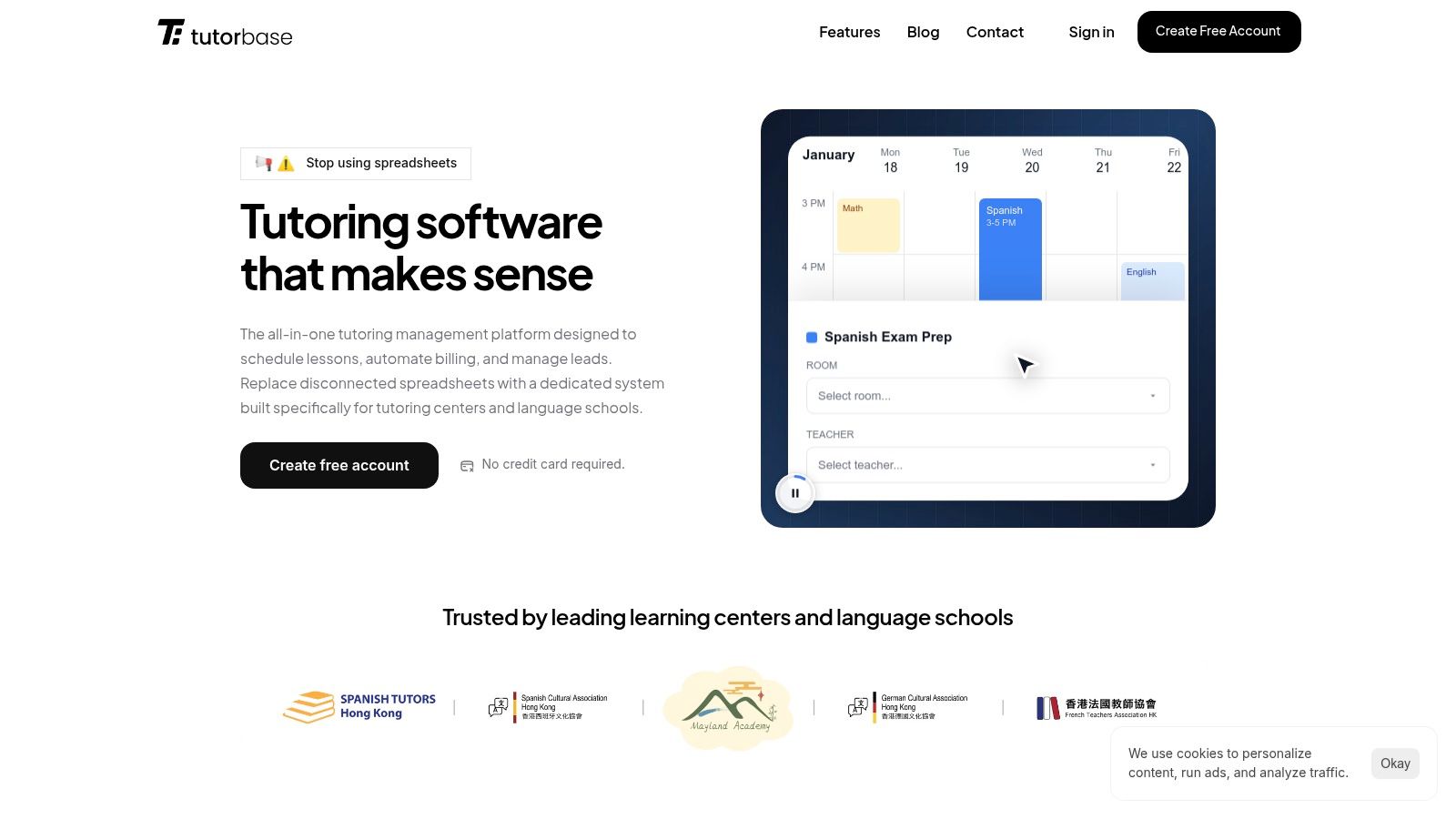
What sets Tutorbase apart is its focus on future-proofing your business, reducing admin time by over 60%. Features like AI-powered scheduling ("Find Slot"), which cuts booking time from 10 minutes to under 2, save hours of manual coordination. The system's native handling of prepaid credits, automated invoicing based on attendance, and complex payroll models (like revenue share) provide a foundation that supports growth from a solo operation into a multi-teacher center without needing to switch software.
What are Tutorbase's key strengths?
- For the Solopreneur Planning to Hire: The advanced payroll and multi-teacher scheduling features are ready when you are. You can set up complex pay structures like per-student rates from the start, a feature missing in basic alternatives.
- For Tutors Selling Packages: Native prepaid credit and package management automates tracking and billing. The system automatically deducts lessons from a student's balance and sends low-balance alerts, improving cash flow by 42%.
- For Tech-Forward Tutors: The built-in WhatsApp lead widget and embeddable web forms capture new student inquiries directly into a CRM pipeline, enabling 3x faster student onboarding compared to manual methods.
Pricing and Onboarding
Tutorbase follows an enterprise model and does not list public pricing; you must contact their sales team for a custom quote and demo. This approach reflects a hands-on onboarding process to configure services and migrate data, an investment for the long-term efficiency gains the platform promises, including zero double-bookings.
- Pros: All-in-one system reduces tool sprawl; AI scheduling prevents errors; advanced payroll and pricing offer unmatched flexibility; built to scale with multi-branch and multi-brand support.
- Cons: No transparent pricing requires a sales call; requires a dedicated migration and setup effort.
Website: https://tutorbase.com
2. TutorBird
TutorBird is one of the most popular platforms in the solo tutor space. It was purpose-built for the individual educator, wrapping scheduling, invoicing, payments, and communication into a single, cohesive system. Its workflows are intuitive for tutors because the software was designed for their business model, making it a standout choice among the best tutoring management software for solopreneurs.
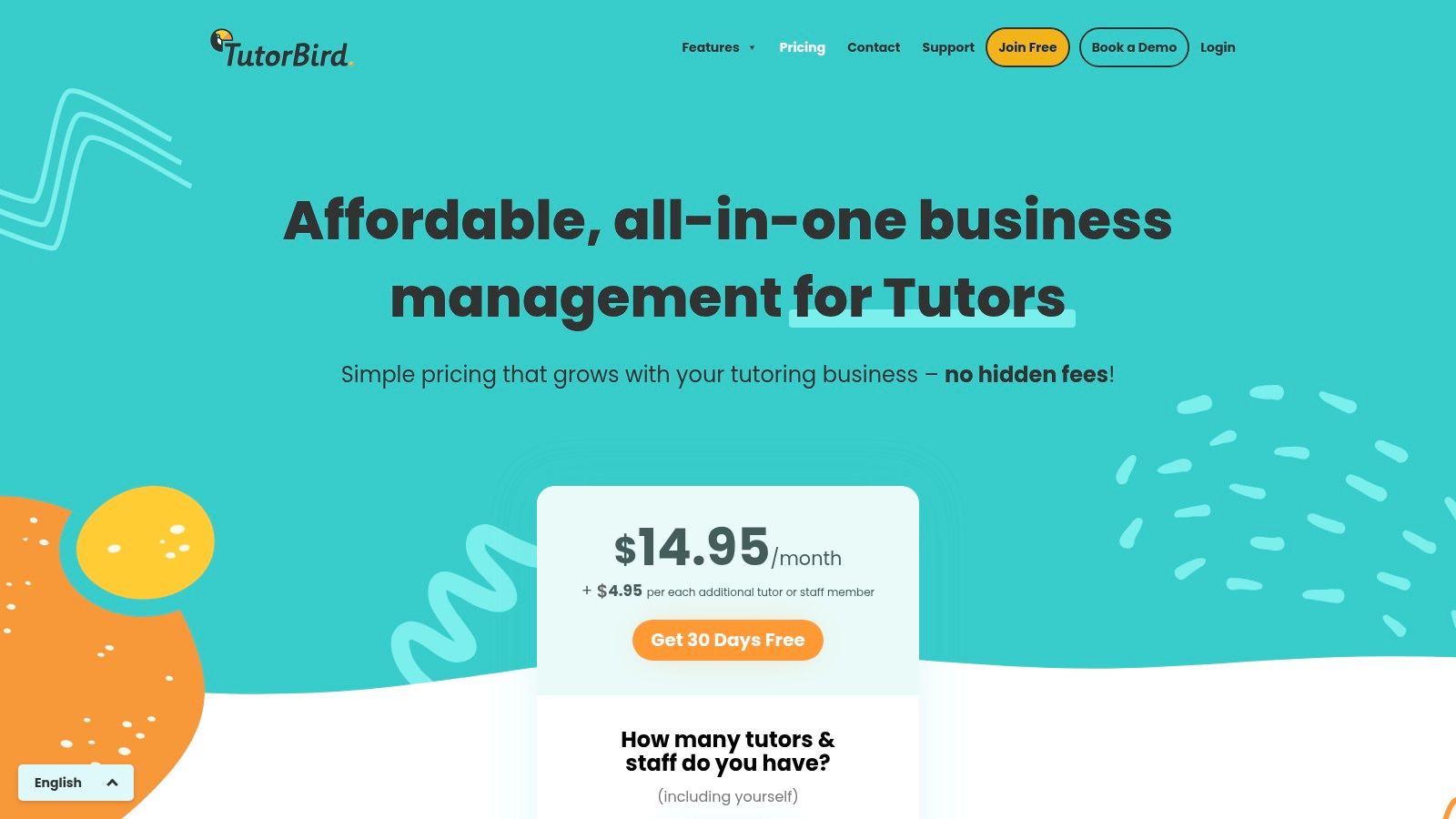
The platform streamlines core administrative tasks, offering calendar sync with Google or Outlook, automated invoicing, and integrated online payments via Stripe or PayPal. A key benefit is the dedicated student and parent portal, which centralizes communication and gives clients self-service access to their schedules and billing history.
Key Details & Features
- Best For: Solo tutors and micro-teams needing an all-in-one, tutor-centric solution without enterprise complexity.
- Pricing: Simple flat-rate monthly pricing that includes all features, starting from around $19.95/month. They offer a 30-day free trial and a money-back guarantee.
- Pros: The entire platform is designed for tutors, making it intuitive. The single-tier pricing is transparent and affordable.
- Cons: The included website builder is very basic, and it lacks the advanced multi-location or complex payroll features found in platforms built for larger centers.
Website: https://www.tutorbird.com/pricing/
3. Fons
Fons excels in automating the most critical parts of a solo tutor’s business: scheduling and payments. It was built for independent instructors who want a "set it and forget it" system for billing, making it a strong contender for the best tutoring management software for solopreneurs who dread chasing invoices. Its core strength is its deep integration with Stripe, automating everything from deposits to enforcing no-show policies.
The platform empowers tutors to create a public booking page where clients can self-schedule based on real-time availability. Fons handles all the background work, including sending reminders, processing payments for packages or subscriptions, and managing cancellations. This focus on automation gives tutors back valuable time that would otherwise be spent on repetitive administrative tasks.
Key Details & Features
- Best For: Solopreneurs who want to completely automate their billing cycle and client scheduling with minimal manual intervention.
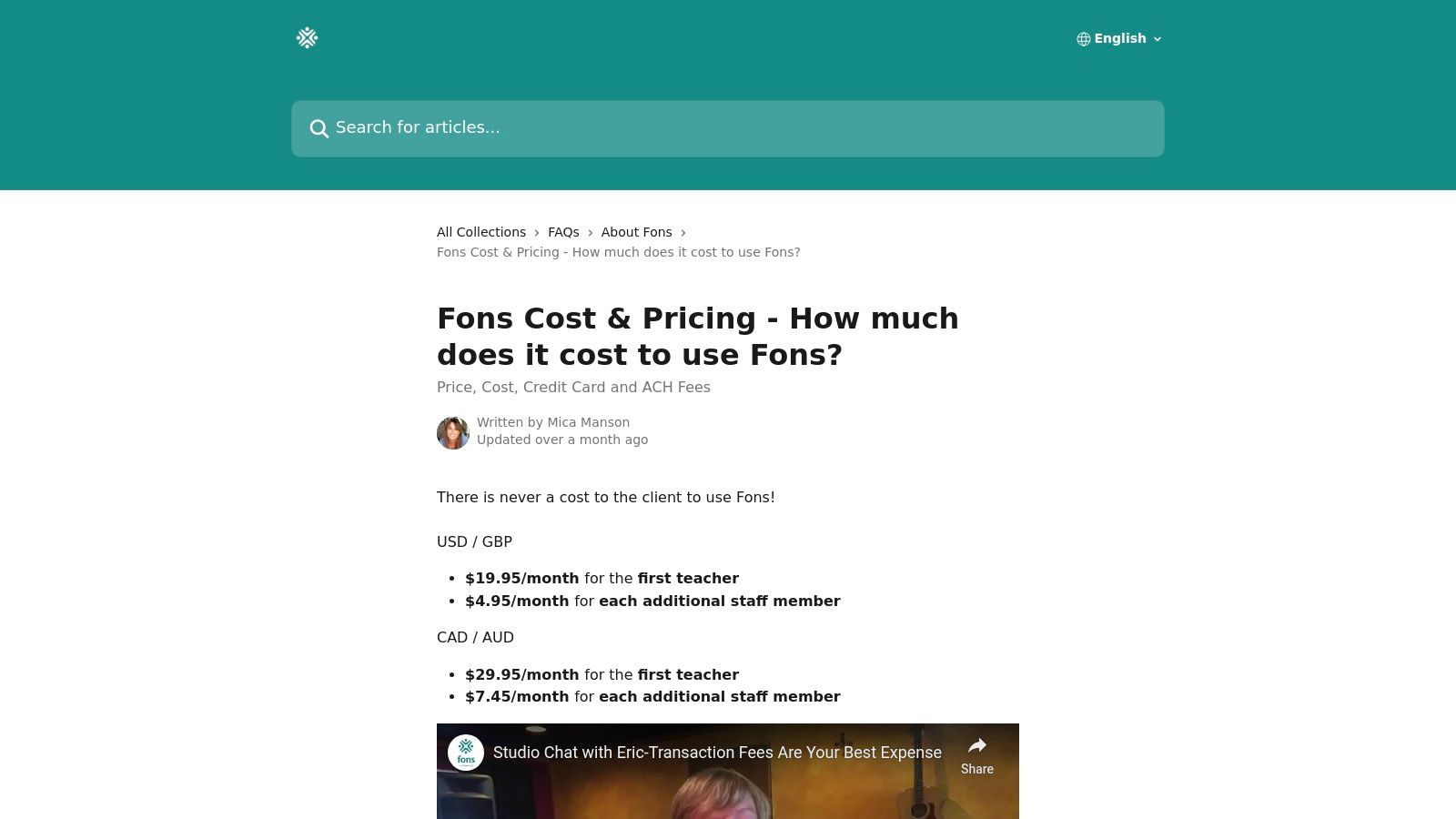
- Pricing: Starts at a very low monthly price for a single user, with a simple per-staff fee as you grow. A free trial is available.
- Pros: Excellent payment automation, including support for lower-fee ACH bank transfers in the US. The client self-service features reduce admin workload.
- Cons: The feature set is more focused on scheduling and billing than comprehensive business management. It relies heavily on Stripe, so payment processing fees are a key cost factor.
Website: https://help.fons.app/en/articles/2060023-fons-cost-pricing-how-much-does-it-cost-to-use-fons
4. Calendly
While not a dedicated tutoring platform, Calendly is a powerhouse for scheduling that many solopreneurs use as the core of their administrative stack. Its strength lies in its simplicity and widespread integration. Tutors create booking links for different session types and share them directly with clients, making it incredibly easy for parents and students to book a time that works for everyone.
The platform connects directly to your personal calendar to show real-time availability, preventing double-bookings. With its Stripe and PayPal integrations on paid plans, you can require payment at the time of booking, which drastically reduces no-shows and eliminates the need to chase invoices. You can learn more about its specific scheduling features in our guide to the best online booking systems for tutors.
Key Details & Features
- Best For: Solo tutors who primarily need a polished, reliable, and automated booking system that can collect payments upon scheduling.
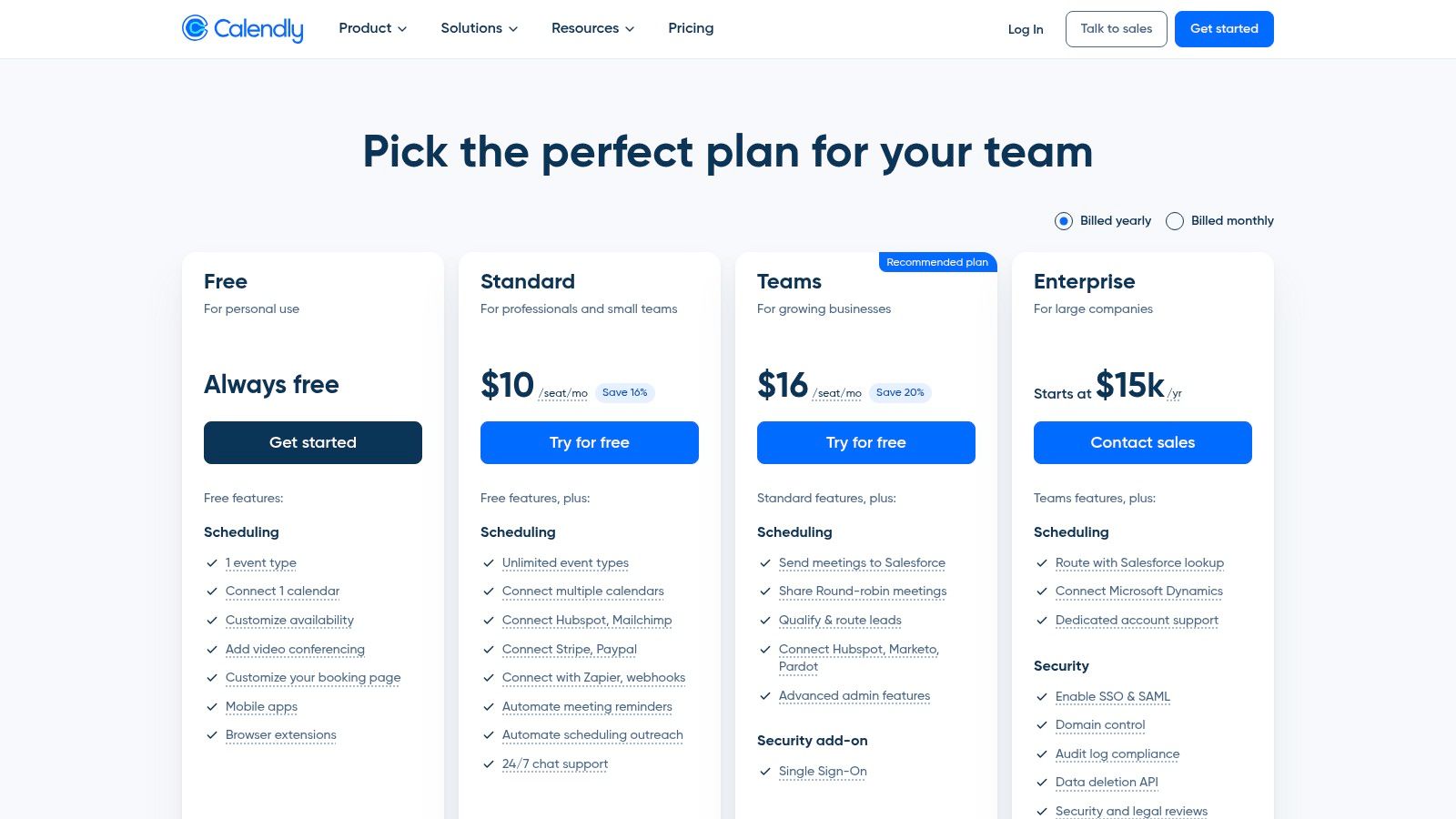
- Pricing: Offers a robust free plan. Paid plans start around $10/user/month to add payment collection, unlimited event types, and workflow automations.
- Pros: The user experience is best-in-class, making it extremely easy for clients to use. It's affordable and scales well if you decide to add another tutor.
- Cons: It is not a complete management system. It lacks features for invoicing, detailed student records, or teacher payroll found in all-in-one software.
Website: https://calendly.com/pricing
5. Squarespace Scheduling (Acuity)
Squarespace Scheduling (formerly Acuity) is a powerful, mature scheduling engine perfect for tutors whose primary pain point is managing complex bookings. It shines for solopreneurs who sell lessons in packages, offer group classes, or run recurring subscription-style programs. Its strength lies in its standalone flexibility; it can be embedded into any website or used on its own, making it a versatile choice.
The platform handles payments directly through Stripe, Square, or PayPal and supports advanced features like intake forms to gather student information upfront. For tutors handling sensitive student data, HIPAA compliance options are available on higher-tier plans. This robust feature set makes it one of the best tutoring management software options for solopreneurs who prioritize powerful, automated scheduling.
Key Details & Features
- Best For: Solo tutors who need advanced scheduling features like packages, subscriptions, and group class management.
- Pricing: Plans start from around $16/month (billed annually). A 7-day free trial is available, but there is no perpetual free plan.
- Pros: Excellent for selling and managing class bundles or recurring memberships. It integrates easily into almost any existing website.
- Cons: It's a scheduler first, not a full tutoring management system, so it lacks tutor-specific features like lesson notes or detailed student progress tracking.
Website: https://www.squarespace.com/scheduling
6. Setmore
Setmore is a powerful appointment scheduling platform that serves as an excellent, low-cost starting point for solopreneurs. Its strength is its generous free plan and core booking functionalities, making it a great choice for tutors who primarily need to solve scheduling challenges before investing in a full-suite system. It handles online bookings, automated reminders, and payments efficiently.
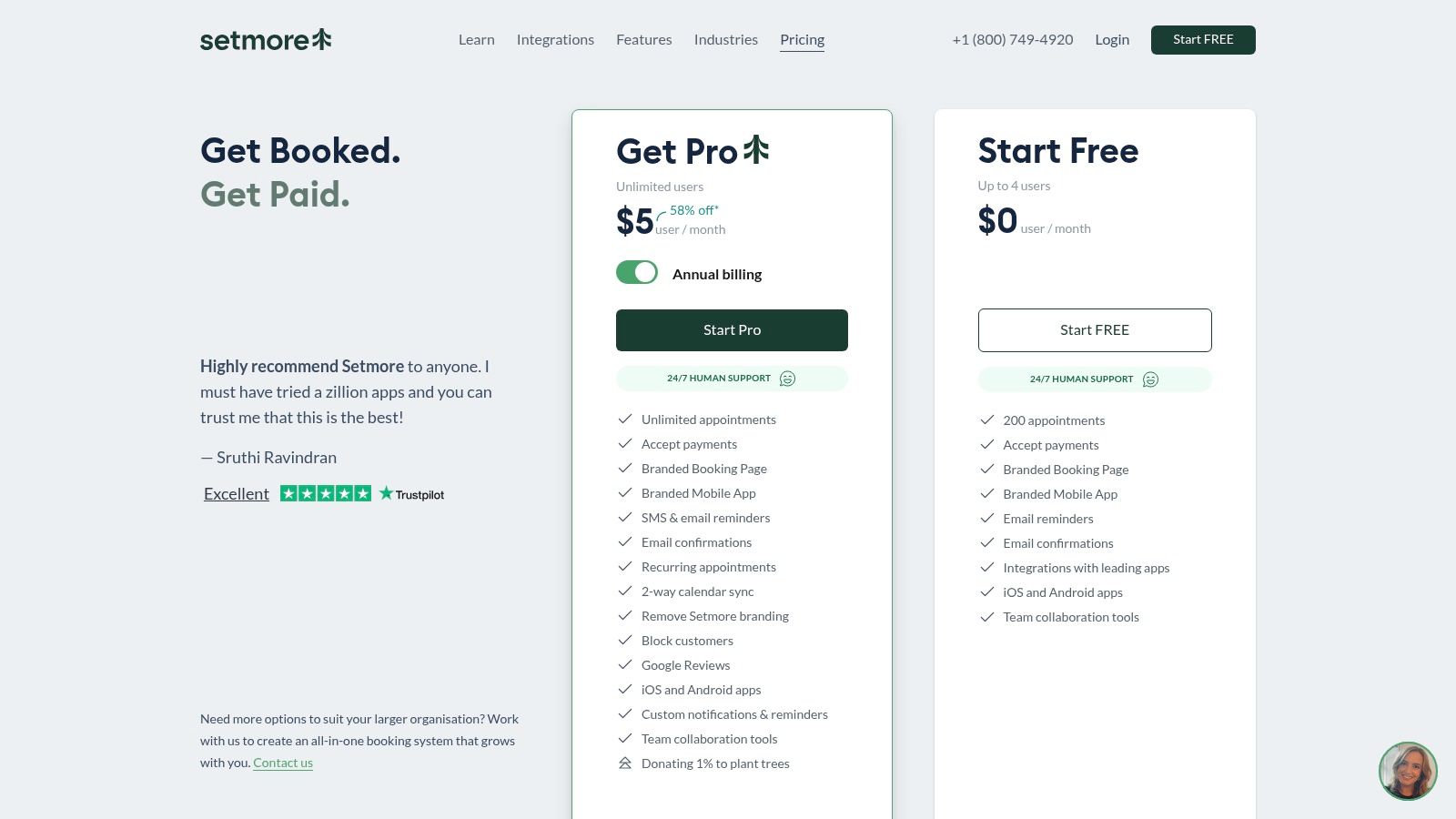
The platform offers a clean booking page you can share with clients, integrations with social media for easy booking, and two-way calendar sync to prevent conflicts. For tutors needing extra help, the optional 24/7 Live Receptionist add-on can manage calls and book appointments, acting as a virtual assistant to ensure you never miss a client.
Key Details & Features
- Best For: Solo tutors who need a free or very low-cost way to manage appointments and online payments without complex administrative features.
- Pricing: A robust free plan is available. Paid plans (Pro and Team) add advanced features like SMS reminders and brand removal, starting around $12/user/month.
- Pros: The free plan is extremely capable and supports up to 4 users. It provides 24/7 human support even for free-tier customers.
- Cons: It lacks tutor-specific features like lesson history and student progress tracking. Add-ons like the live receptionist can increase the total cost significantly.
Website: https://www.setmore.com/en/pricing
7. Square Appointments
Square Appointments is a powerful and surprisingly suitable option for solopreneurs who prioritize simplicity and integrated payments. It's best known for its robust booking system, but its real advantage is its connection to the broader Square ecosystem. For tutors already using Square for payments, this is a seamless extension that adds professional scheduling without a separate subscription.

The platform offers a free, customizable booking website, automated text and email reminders, and integrated payment processing. You can require a credit card on file to reduce no-shows or take deposits upfront. This combination of scheduling and finance management makes it a strong contender among the best tutoring management software for solopreneurs looking for an all-in-one, no-monthly-fee solution.
Key Details & Features
- Best For: Solo tutors who need a simple, free scheduling and payment solution, especially those already using or planning to use Square for payment processing.
- Pricing: Free for a single user/calendar. Paid plans with more advanced features start at $29/month. Standard card processing fees apply to all transactions.
- Pros: The free tier is genuinely useful and not just a limited trial. Integration with Square’s entire suite of business tools (POS, banking) is a major benefit.
- Cons: It lacks tutor-specific features like lesson notes, parent portals, or complex package billing. The focus is more on appointments than on managing ongoing student relationships.
Website: https://squareup.com/us/en/appointments/pricing
8. Bookeo
Bookeo is a flexible booking system that adapts well to a solopreneur's business. It stands out by providing dedicated products for both appointments (private lessons) and classes/courses (group sessions or recurring workshops). This versatility makes it a strong contender among the best tutoring management software for solopreneurs who offer a mix of one-on-one and group formats.
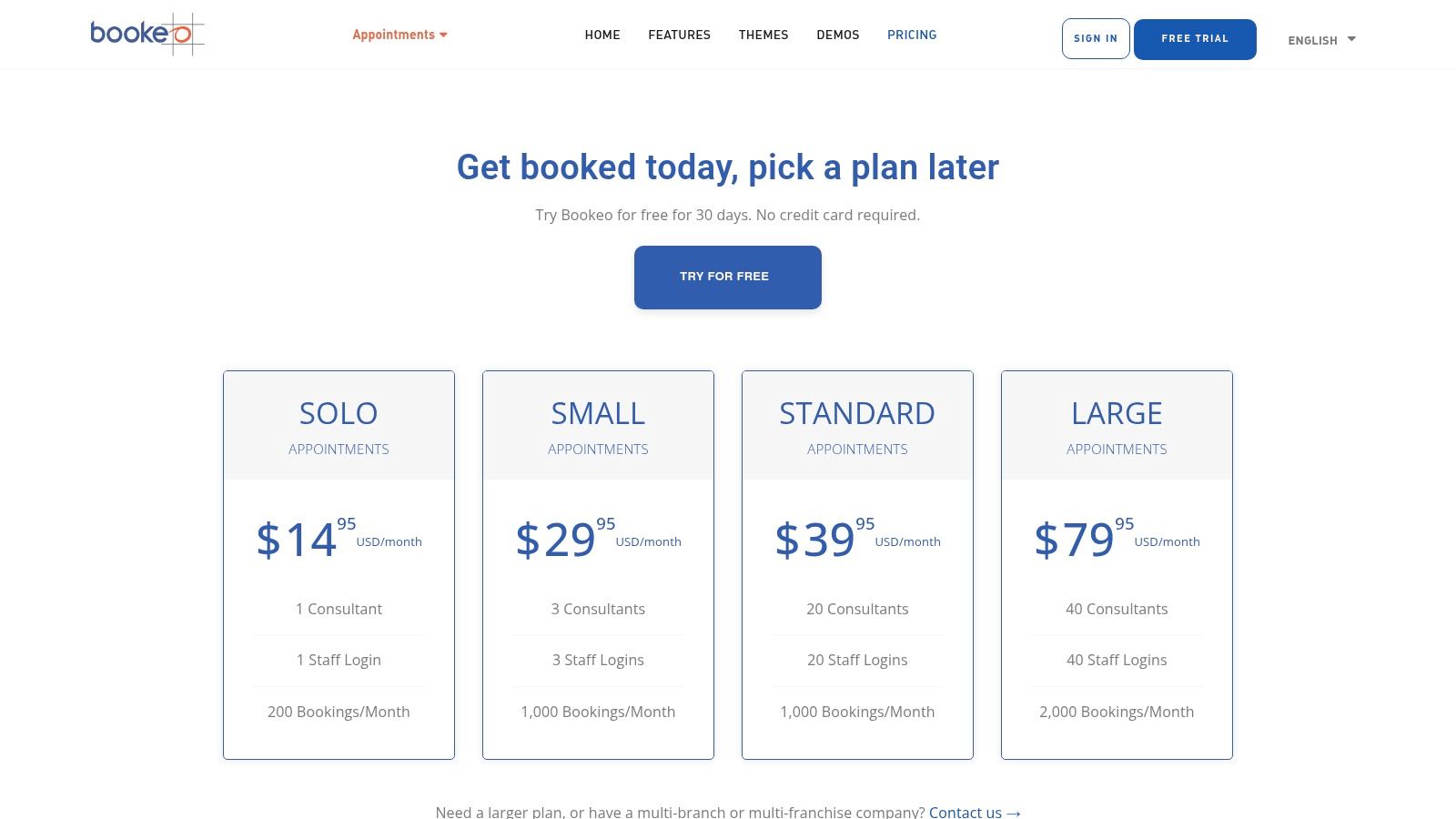
The platform is built around scheduling, allowing tutors to manage class capacities, create waitlists, and sell prepaid packages or memberships. It integrates with major payment gateways like Stripe and PayPal without charging its own commissions, a significant benefit for cost-conscious solo tutors. The focus is squarely on getting clients booked and paid efficiently through your own website.
Key Details & Features
- Best For: Solo tutors who sell a combination of private appointments and multi-student classes or courses and need robust scheduling options.
- Pricing: The "Solo" plan is highly affordable, starting around $14.95/month. All plans have a 30-day free trial and a money-back guarantee.
- Pros: The dedicated scheduling tools for different service types are a major plus. The pricing is clear and the lack of booking commissions is attractive.
- Cons: The user interface feels more utilitarian and less modern than some newer competitors. Key features like SMS reminders are paid add-ons.
Website: https://www.bookeo.com/appointments/pricing/
9. SimplyBook.me
SimplyBook.me is a powerful, booking-first tool for solopreneurs who prioritize a polished client-facing experience. It excels at appointment management and can be customized with an extensive library of add-on features, making it a flexible choice for tutors whose primary administrative hurdle is scheduling. Its strength is in providing a professional booking website and client app right out of the box.
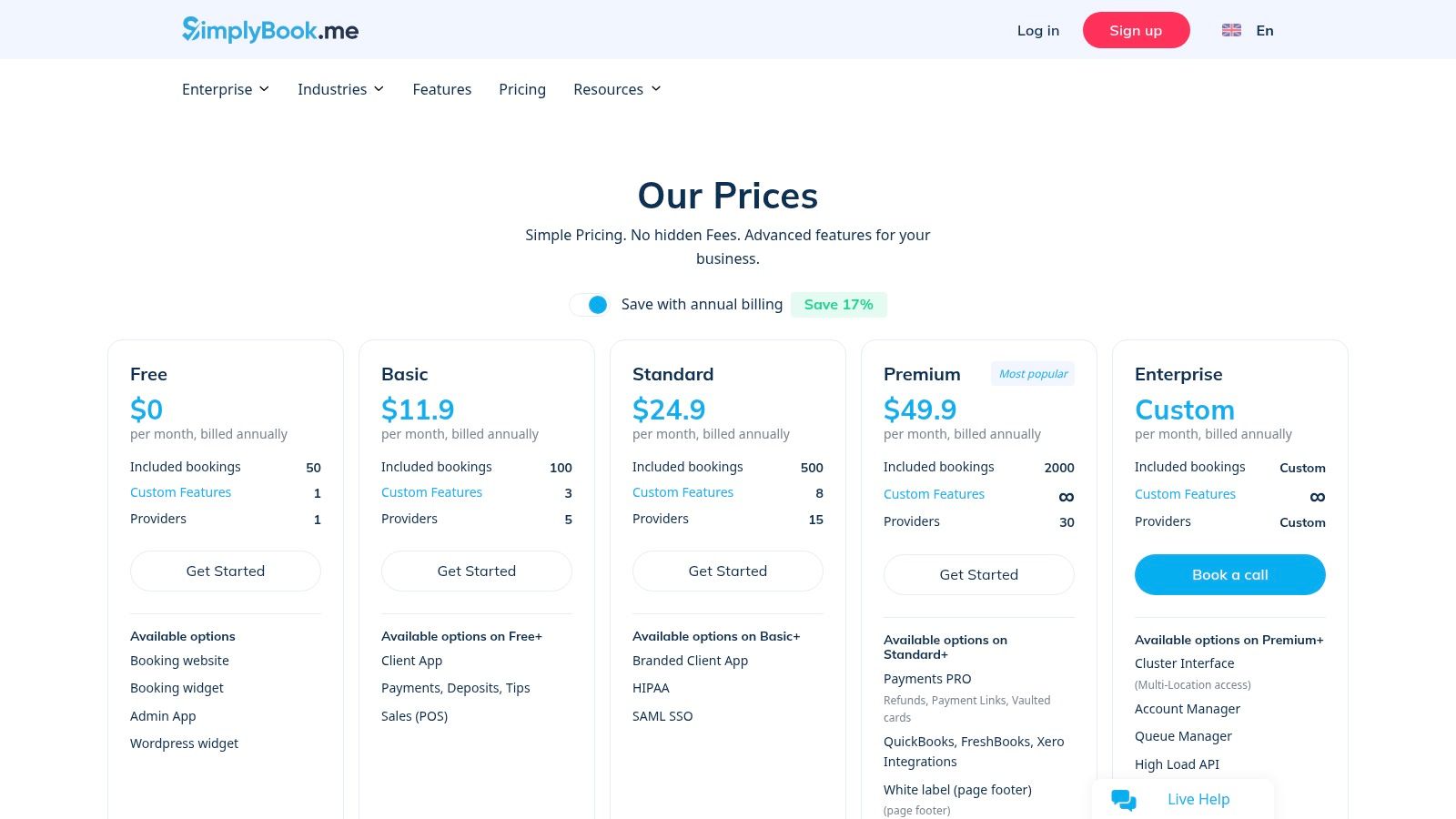
The platform allows you to accept payments and deposits, sell packages or memberships, and even offers a HIPAA-compliant option for tutors working with sensitive student data. This modular approach makes it one of the most adaptable options among the best tutoring management software for solopreneurs, allowing you to build the exact system you need without paying for features you won't use.
Key Details & Features
- Best For: Solo tutors needing a highly customizable, professional online booking system with a generous free plan to start.
- Pricing: Offers a free plan for up to 50 bookings. Paid plans start around $8.25/month and increase based on bookings and custom features.
- Pros: The free plan is excellent for low-volume tutors. The platform scales with a huge variety of custom "add-on" features, so you don't have to switch tools as you grow.
- Cons: It's a general booking system, not tutor-specific, so it lacks dedicated academic progress tracking. The cost can increase as you add more custom features and exceed booking limits.
Website: https://simplybook.me/en/pricing/
10. Teach ’n Go
Teach ’n Go is a comprehensive school management system that scales effectively from a solo practice to a multi-teacher center. It packages powerful features like scheduling, automated billing, and detailed reporting into a platform that grows with your student base. Its pricing model is appealing, as you only pay for the number of active students, making it a cost-effective entry point.
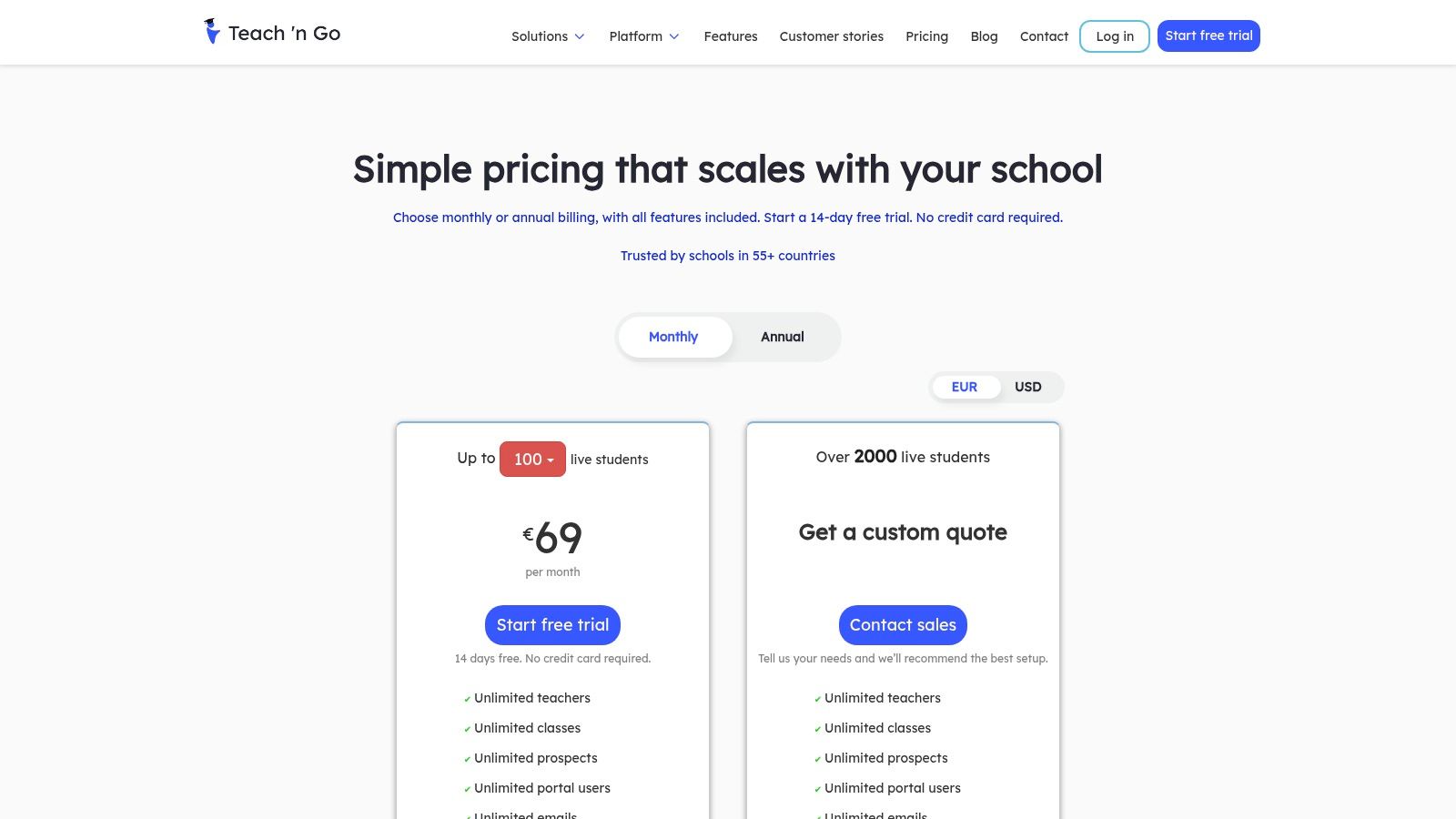
The platform includes robust parent and student portals, mobile apps, and integrations with Stripe, PayPal, and Zapier. While it has features like teacher payroll that a solopreneur may not need initially, having them available means you won't have to switch software as you expand. This makes it one of the best tutoring management software for solopreneurs with clear growth ambitions.
Key Details & Features
- Best For: Solopreneurs who anticipate growing into a small team and want a platform that can scale with them without needing to migrate later.
- Pricing: Tiered pricing based on the number of active students, starting from around $29/month for up to 20 students. All features are included in every plan.
- Pros: The per-student pricing is fair and predictable. All features, including advanced ones, are available on every tier. It also offers a multilingual user interface.
- Cons: As an EU-based company, support hours may not align perfectly with US time zones. The extensive feature set can feel like overkill for tutors who only need basic scheduling.
Website: https://www.teachngo.com/pages/pricing
11. Teachworks
Teachworks is a long-standing and robust platform in the education management space. It offers a comprehensive suite of tools designed to handle scheduling, billing, payroll, and client communications, making it a strong contender for solo tutors who envision future growth. Its ability to scale from an individual operation to a multi-teacher business sets it apart from simpler, solo-focused apps.
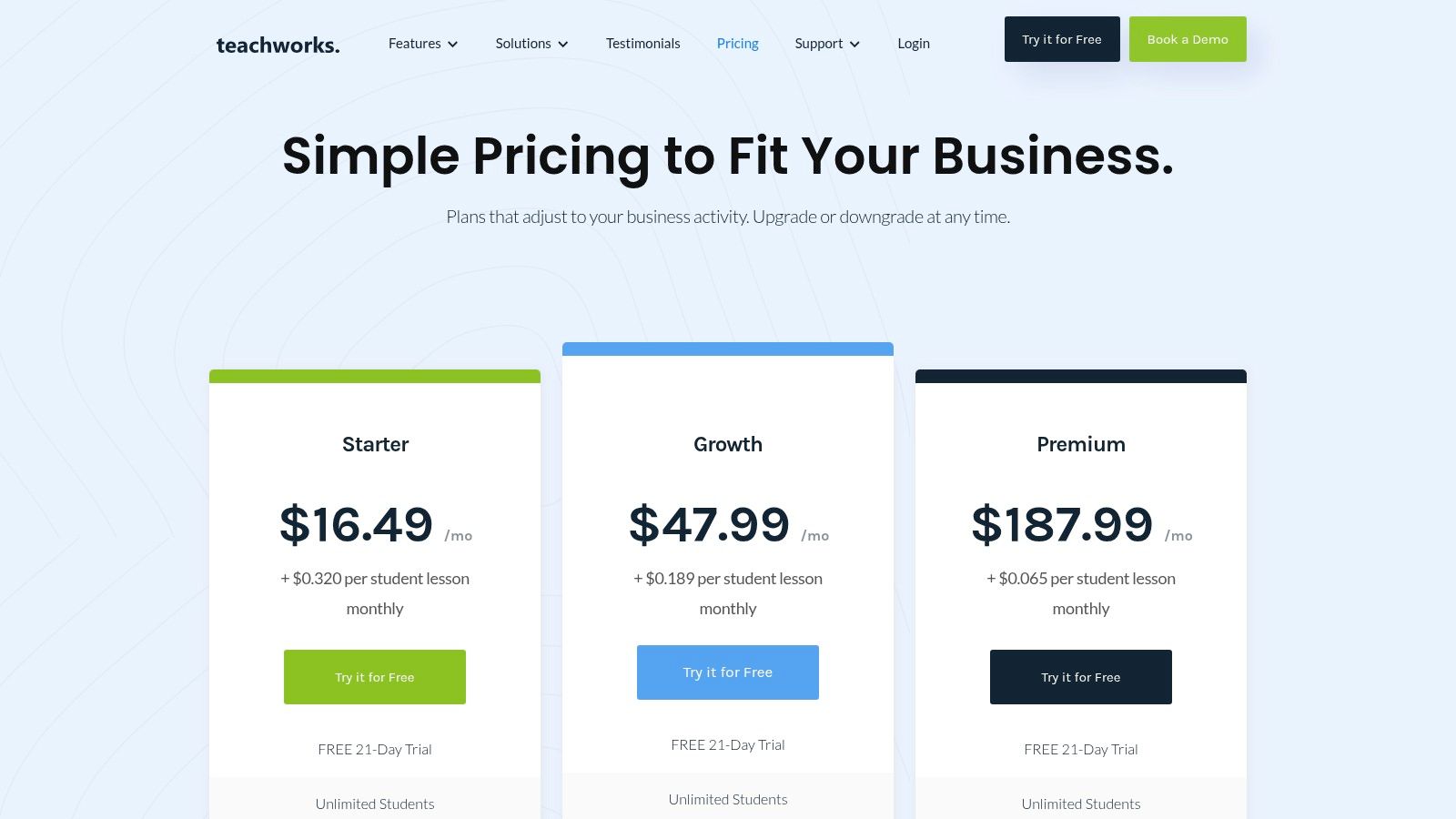
The system’s core strengths lie in its detailed calendar with conflict checking and its automated invoicing features. The "Invoice Autopilot" can generate bills automatically based on completed lessons, saving significant admin time. For solopreneurs planning to build a team, its payroll tracking and integrations provide a solid foundation for expansion. You can get more details in these tuition management systems reviews.
Key Details & Features
- Best For: Solopreneurs who want a feature-rich system with a clear path to scale into a larger tutoring center.
- Pricing: Starts with a base monthly fee plus a small per-lesson fee, which scales with usage. A free plan is available for very small operations.
- Pros: Mature, tutor-specific workflows and strong invoicing automation. The platform can grow with your business, supporting multiple branches and teachers.
- Cons: The per-lesson fee can make costs less predictable during busy months. It requires more initial setup compared to simpler appointment scheduling tools.
Website: https://teachworks.com/pricing
12. TutorCruncher
TutorCruncher is a robust platform that often serves larger tutoring companies, but it's an excellent choice for solopreneurs who plan to scale. It combines CRM, scheduling, and billing into a professional package, making it one of the best tutoring management software options for solopreneurs with growth ambitions. Its strength lies in its comprehensive back-office features, providing a solid foundation from the start.
The platform handles everything from lead management to payroll, which is rare for software accessible to individuals. Automated invoicing, integrated payments, and detailed reporting give you the tools of a much larger operation. This means you can establish professional, automated workflows early on, ensuring your administrative processes don't break as your student list grows from ten to one hundred.
Key Details & Features
- Best For: Ambitious solo tutors who want a scalable, business-grade system for invoicing and management from day one.
- Pricing: Starts with a monthly base cost plus payment processing fees. Plans are tiered based on active students, starting around $40/month for up to 20 students. A free trial is available.
- Pros: Very comprehensive feature set focused on the business side of tutoring. It provides a clear and powerful upgrade path as you grow from a solo tutor into a small team or center.
- Cons: The interface feels more like 'business operations' software than a simple, lightweight scheduler. The pricing model includes a base fee plus transaction fees, which can be more expensive.
Website: https://tutorcruncher.com/pricing/us/
How do you choose the best software?
Choosing the right tool is about matching software to your primary operational bottleneck. If chaotic back-and-forth scheduling is your biggest headache, start with a dedicated scheduling tool like Squarespace Scheduling or Setmore. These platforms solve that one problem exceptionally well and integrate payment processing to secure your bookings, which is a massive first step in professionalizing your operations.
Making the Right Choice for Your Current Stage
Your software journey will likely follow a pattern of growth. Use this framework to decide on the best tutoring management software for solopreneurs based on your specific needs:
- The "Just Starting Out" Solopreneur: If you manage fewer than 15 students and your main pain point is booking, a free or low-cost appointment scheduler is your best friend. Tools like Square Appointments or Calendly are perfect. They automate reminders, handle basic payments, and give you a professional booking page without a steep learning curve.
- The "Growing and Juggling" Solopreneur: You're managing 20 to 50+ students and now the real admin burden hits. You're not just scheduling; you're tracking attendance, creating invoices, and managing lesson packages. This is the stage where a dedicated tutoring platform like TutorBird or Fons becomes invaluable, consolidating tasks to save you over 10 hours per week.
- The "Ready to Scale" Solopreneur: You've reached a critical inflection point. You're considering hiring your first tutor or adding group classes. The tools that got you here are now showing their limits. Managing another tutor's schedule and payroll in a system designed for one person becomes a logistical nightmare. This is your clear signal to upgrade.
When is it time to upgrade your software?
The trigger for an upgrade isn't just student numbers; it's complexity. When you find yourself creating manual workarounds, using spreadsheets to connect data from different apps, or feeling like you can't grow because your systems can't handle it, it’s time to move to a comprehensive platform. This is where software like Tutorbase shines, designed not just for solo operators but for the businesses they aspire to build. It handles multi-tutor payroll, complex group scheduling, and multi-location management natively, preventing the operational chaos that stalls growth.
Your first software choice is a strategic step, not a permanent one. Start simple, solve your most immediate problem, and keep your focus on teaching. As your tutoring business flourishes, your administrative needs will evolve. By recognizing the signs, you'll know exactly when to level up your toolkit to support your ambitions.
Frequently Asked Questions (FAQ)
What is tutoring management software?
Tutoring management software is a platform designed to automate and centralize the administrative tasks of a tutoring business. Key functions typically include student scheduling, automated invoicing and payment processing, attendance tracking, and parent communication portals, replacing the need for multiple fragmented tools like spreadsheets and calendars.
Can I run my tutoring business with free software?
Yes, when you are first starting out, you can run your business with free software. Tools like Calendly and Square Appointments offer robust free plans that handle basic scheduling and payment collection. However, as your student numbers grow beyond 10-15, you will likely need the automated billing and tracking features of a paid, all-in-one platform.
How much does tutoring software cost?
Pricing for tutoring software varies. Simple scheduling tools can be free or cost around $10-$20 per month. All-in-one platforms designed for solopreneurs, like TutorBird, often have flat fees around $20-$50 per month. More advanced systems like TutorCruncher or Tutorbase are priced based on student numbers or feature tiers, ranging from $40 to several hundred dollars per month for larger operations.
What is the difference between a scheduler and a management platform?
A scheduler (like Calendly) focuses exclusively on booking appointments and managing your calendar. A tutoring management platform (like Tutorbase or Teachworks) is an all-in-one system that includes scheduling but adds automated billing based on attendance, teacher payroll, student records management, lead tracking (CRM), and multi-location support, providing a complete operational backbone for the business.
How does tutoring software help with payments?
Tutoring software automates the entire payment process. It can generate invoices automatically based on completed lessons, manage prepaid lesson packages by deducting sessions from a balance, process credit card payments via integrations like Stripe, send automated payment reminders for overdue invoices, and provide parents with a portal to view their billing history and make payments online.
Ready to build a system that grows with you? If you’re a solopreneur with plans to expand, Tutorbase provides the all-in-one platform to eliminate admin work and scale from one tutor to a full-fledged center. Explore how you can automate your operations and prepare for future growth at https://tutorbase.com/register.


