


Key Takeaways: Effective kids learning center management swaps manual tasks for an automated, unified system. This approach centralizes student data, scheduling, and billing to reduce administrative work by over 60%. Separating student profiles from parent/payer records is crucial for accurate family billing and communication.
Effective kids learning center management swaps chaos for a single, unified system. The goal is to automate repetitive tasks like student data management, class scheduling, and family billing. This frees up your time to focus on your students and business growth.
What Is Modern Kids Learning Center Management?
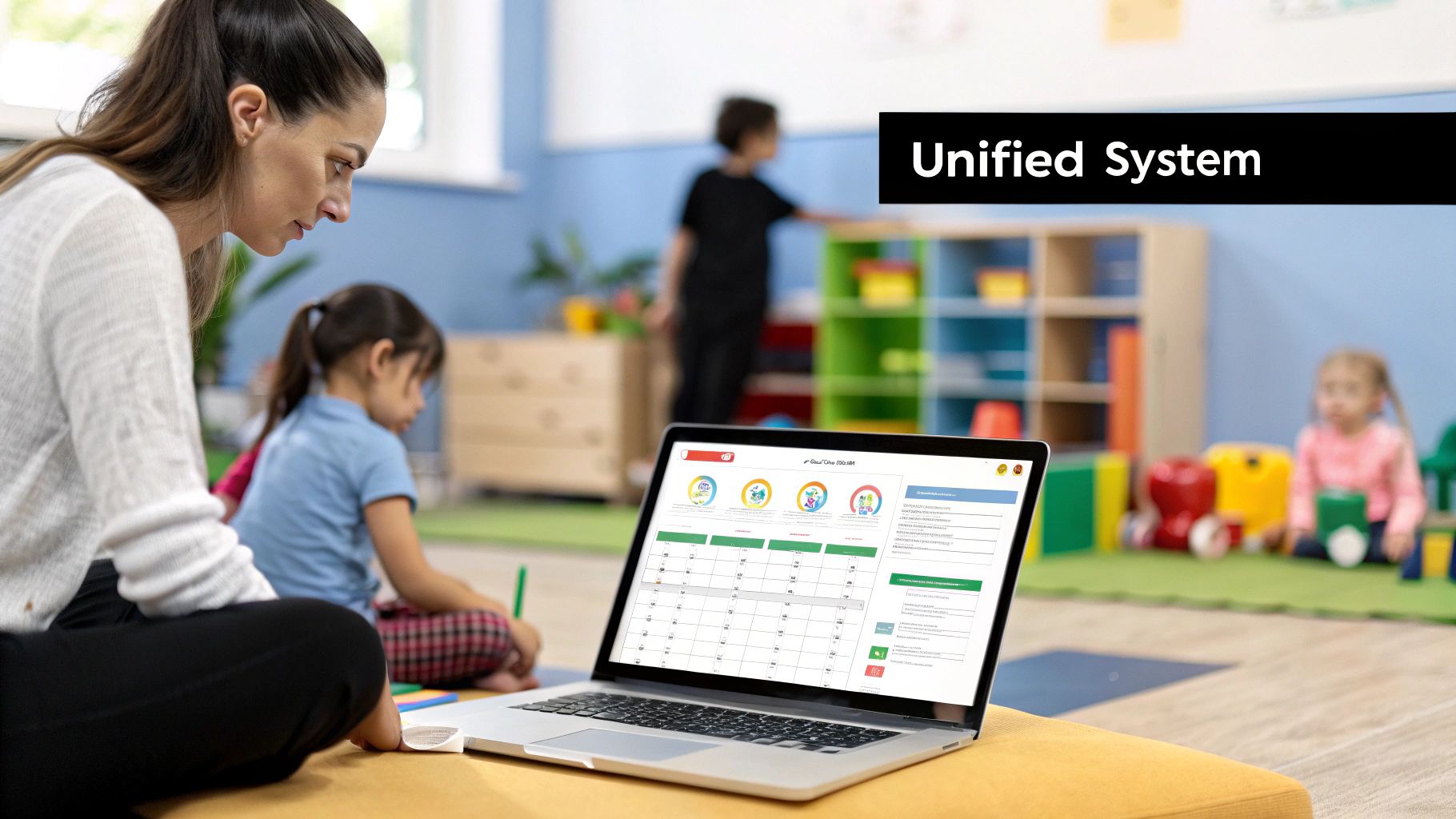
Modern kids learning center management is a centralized system for your operations. Instead of using separate spreadsheets, calendars, and invoicing tools, everything is integrated into one platform. This unified approach connects all daily operational tasks, eliminating repetitive manual work.
You can stop spending hours cross-referencing files or calculating teacher payroll. A modern platform ensures all components of your business work together seamlessly. This efficiency is critical for staying competitive and profitable in 2026.
Unifying Your Centre's Core Operations
A truly unified platform connects your daily activities across four pillars: student data, scheduling, billing, and payroll. When these areas are integrated, your center runs more efficiently. Choosing the right system is a critical decision for small businesses.
To understand your options, explore the best Learning Management Systems for small businesses. This will give you an idea of what features to look for in 2026. This isn't just a "nice-to-have"; it's essential for survival in competitive markets.
Manual Methods vs. A Modern Management Platform
The difference between manual tools and a purpose-built platform is significant. A modern platform introduces a level of professionalism and accuracy that manual methods cannot match. It frees you to build a better educational experience for your students.
| Operational Area | Manual Method (Spreadsheets, Separate Apps) | Automated Platform (Tutorbase) | Time Saved per Week |
|---|---|---|---|
| Student Data | Scattered information leads to data entry errors and wasted time searching for records. | Centralized profiles with linked parent and payer records provide a single source of truth. | 2-3 Hours |
| Scheduling | Manual calendar entries often result in double-bookings and scheduling conflicts. | Real-time availability and conflict detection prevent errors and find open slots instantly. | 3-4 Hours |
| Family Billing | Manually creating invoices for multiple children is tedious and prone to mistakes. | Automated invoicing consolidates all lessons for a family into one clear bill. | 4-5 Hours |
| Teacher Payroll | Calculating pay based on different rates and hours is a complex, manual task. | Payouts are calculated automatically from attendance records based on preset contracts. | 2-3 Hours |
Getting Student and Family Data Right
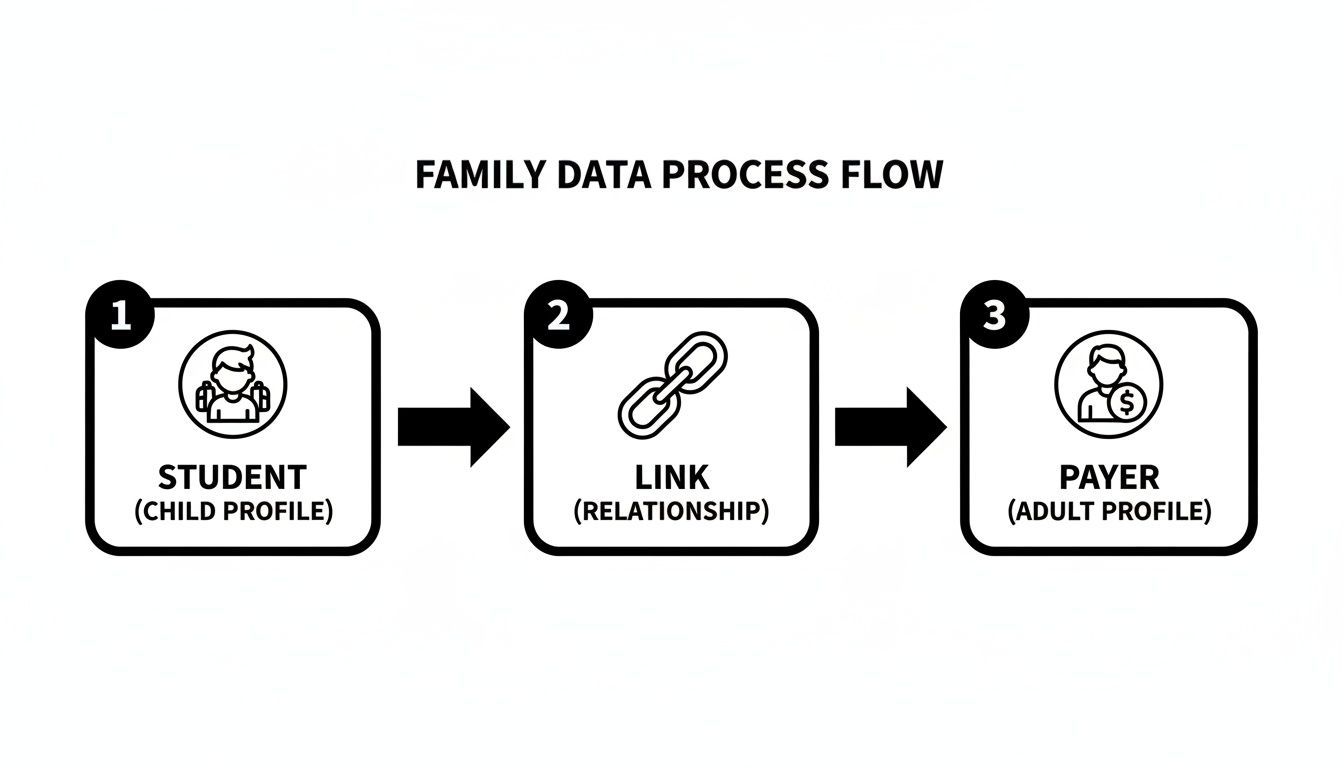
Running a kids' learning center smoothly starts with clean, well-organized data. A core principle is to always treat student and parent profiles as separate, connected records. This prevents billing errors and communication mix-ups down the line.
Organized data is the bedrock of good automation. When your system knows who to text about a schedule change versus who receives the monthly invoice, you eliminate major friction. This improves the experience for both your staff and your families.
Why Must You Separate Student and Payer Profiles?
The student receives the education, but the parent or guardian is your client. Lumping them together is a common mistake that leads to problems. To manage your center effectively, you must keep these roles distinct and separate.
For example, a WhatsApp message about a cancelled class should go to the parent managing daily logistics. The monthly invoice, however, might need to go to a different guardian. Separating these profiles makes targeted communication easy.
What is a Student Profile?
A student profile is the digital record of everything related to a child's learning journey. It is the single source of truth for your teachers and academic coordinators. It contains all their academic and personal details, like their current grade level.
A complete student profile includes:
- Personal Information: Full name, age, date of birth, and critical details like allergies.
- Academic History: Current school grade, subjects, and notes on past assessments.
- Learning Goals: Specific targets, such as improving exam scores by 15%.
- Lesson Records: A history of every attended class, teacher feedback, and any makeup lesson credits.
Building Payer Profiles for Stress-Free Billing
The payer profile (also a family or parent profile) is a separate record holding financial and contact details. This is where you link one or more student profiles to create a clear family unit. It simplifies family billing significantly.
A well-structured payer profile system is a game-changer. Industry data shows centers using family billing cut invoice questions by over 40%. Families receive one consolidated, easy-to-read bill instead of several confusing ones, improving their experience.
A robust payer profile needs to include:
- Contact Information: Name, email, and phone number for the primary bill payer.
- Billing Details: Preferred payment method and a complete history of all invoices and payments.
- Linked Students: A clear connection to every child whose lessons are paid for under this account.
- Communication Log: A record of important administrative conversations, separate from academic feedback.
How Does This Structure Solve Everyday Problems?
This dual-profile system tackles frustrating administrative issues. When data is structured this way, everything from onboarding new families to sending invoices becomes simpler. For a closer look, our guide on the student intake process for tutoring centres offers practical steps.
| Scenario | The Problem with Messy Data | The Solution with Separate Profiles |
|---|---|---|
| Family Billing | You manually calculate one invoice for two siblings, which is slow and prone to errors. | The system automatically links both students to one payer, generating a single, accurate invoice in seconds. |
| Parent Communication | A payment reminder accidentally goes to the parent who only handles scheduling, causing annoyance. | Class updates go to the designated contact, while financial messages go straight to the designated payer. |
| Makeup Lessons | A student misses a class, but the credit is mistakenly added to their sibling’s account instead. | Each student has their own profile where makeup credits are stored and tracked individually, with no mix-ups. |
Automating Your Class and Teacher Schedules
Scheduling is the operational heart of any learning center. If you still rely on spreadsheets, you know the pain of double-bookings and scheduling conflicts. Automating class and teacher schedules is how you stop firefighting and start growing.
Costly double-bookings and empty class slots harm your bottom line. When your schedule is chaotic, parents feel it and teachers get frustrated. A smart management system turns that chaos into a strategic tool for your business.
Why Is Manual Scheduling So Inefficient?
Juggling teacher availability, room bookings, and parent requests by hand is a recipe for disaster. A shared calendar cannot stop you from accidentally booking a teacher on their day off. It also can't prevent double-booking a single room.
A parent sends a WhatsApp message for a trial class. You check the teacher's schedule, then the room's availability, and cross-reference both. A simple request can easily burn 15 minutes, which adds up to staggering lost time each week.
How Do I Set Up Recurring Class Schedules?
Set up your recurring class schedules for the entire term at once. Instead of creating the "Monday 4 PM English Class" every week, you define it once. The system then populates your calendar, creating a predictable and stable structure.
A good system lets you lock in critical details:
- Class Details: Subject, level, maximum student count, and assigned teacher.
- Time and Location: The specific day, time, and room for the whole term.
- Automated Repetition: Set it to repeat weekly until the term ends for automated calendar population.
How Do You Manage Teacher Availability?
Your schedule depends on accurate teacher availability. The best platforms allow teachers to input their working hours directly into the system. This creates a single source of truth and prevents you from scheduling them when they have other commitments.
Once availability is locked in, the software acts as your gatekeeper. If you try to assign a teacher outside their specified hours, the system blocks it. It can even suggest other qualified teachers who are free. Our guide to tutor scheduling software has more details.
Handling Exceptions Like Makeup and Trial Lessons
No schedule is perfect, as kids get sick and new families want trial classes. A powerful system handles these exceptions without causing chaos. Makeup lessons are managed with a credit system that works automatically.
When a student cancels a class (within policy rules), their profile receives a makeup credit. They can redeem this credit for an open spot in another class. Trial lessons are just as simple, using filters to find an empty seat instantly.
By systemizing makeup and trial bookings, centers reduce related admin tasks by up to 75%. Exploring different Workflow Automation Examples shows how these principles apply to your business. Automation builds a resilient and scalable model for your learning center.
Putting Your Billing and Payroll on Autopilot
Managing finances is often the least glamorous part of running a kids learning center. Chasing payments and calculating payroll can consume your week. The key to mastering cash flow without drowning in paperwork is automation.
When you automate billing and payroll, you save time and build a more efficient system. Invoices are generated accurately after lessons, and teacher payouts are processed with a click. It's about getting your time back to focus on students.
Manual invoicing is not just slow; it directly hits your bottom line. Businesses that automate invoicing get paid 38% faster. This speed is essential for maintaining healthy operational funds and fueling your center’s growth in 2026.
What Does Billing Automation Actually Look Like?
Billing automation is the use of software to create and send invoices based on preset rules. Instead of tallying lessons at the end of the month, the system does it in real-time. A student's attendance record instantly translates into an accurate charge.
This process turns billing from a dreaded chore into a seamless background operation. By connecting scheduling and attendance data to your finances, you eliminate human error. This ensures no lesson goes unbilled and forms the bedrock of modern kids learning center management.
How Do I Set Up Different Billing Models?
Your center likely caters to families with different needs, so a flexible billing approach is necessary. A modern management platform lets you offer several payment structures at once. This flexibility can improve student retention and attract new families.
Here are a few popular models you can set up:
- Pay-Per-Lesson: Invoices are automatically triggered after each class, perfect for flexible arrangements.
- Class Packages: Parents buy a block of lessons upfront. The system tracks usage and deducts a credit after each session.
- Monthly Subscriptions: A fixed fee is charged each month, creating predictable, recurring revenue for stable growth.
Making Life Easier with Family Billing
One of the biggest time-savers is family billing. This feature is a lifesaver for parents with multiple children at your center. It lets you link several student profiles to a single parent or payer account.
The parent receives one clear, consolidated invoice covering all their children's lessons. This change cuts down on confusion and reduces payment-related questions. We explore this in our comprehensive guide to tutoring billing software.
Taking the Headache Out of Teacher Payroll
Payroll can be just as painful as billing, especially with teachers on different pay structures. An automated system pulls attendance data to calculate each teacher's pay accurately. It handles varied contracts without requiring a spreadsheet.
You can set up flexible digital contracts that automatically calculate earnings based on:
- Fixed Hourly Rates: The system multiplies hours taught by the teacher's rate.
- Revenue Splits: Teachers earn a pre-agreed percentage of lesson revenue.
- Performance Bonuses: Easily add one-off or recurring bonuses for great work.
How to Measure Your Centre's Performance and Growth
To scale your learning center, you must look beyond top-line revenue. True kids learning center management means tracking the key numbers that show what's happening. These Key Performance Indicators (KPIs) are the only way to make smart, data-backed decisions.
Without data, you are just guessing at what works. Building a simple dashboard with the right KPIs gives you a real-time health check on your center. It helps you spot small problems before they grow and uncover hidden opportunities.
What Exactly Is a Key Performance Indicator?
A Key Performance Indicator (KPI) is a measurable value showing how you track against your most important goals. Instead of a vague target like "increase profit," a KPI is specific and actionable. An example is "achieve a 95% student retention rate this term."
Think of KPIs as your center's vital signs. They tell a clear story about your operational efficiency and family satisfaction. These numbers guide your strategy for 2026 and beyond, ensuring you make informed decisions for growth.
Which Financial KPIs Should I Track?
To understand your financial health, you need to dig deeper than just revenue. The right financial KPIs show you not just how much money is coming in, but how hard that money is working. This is critical for sustainable growth.
Here are the financial metrics successful centers track:
- Average Revenue Per Student (ARPS): Your total monthly revenue divided by your number of active students. A rising ARPS indicates your upselling efforts are working.
- Customer Lifetime Value (CLV): This projects the total revenue you can expect from a single family. Increasing CLV is a powerful way to build long-term growth.
- Profit Margin Per Class: The revenue a class brings in minus direct costs. This instantly shows which offerings are most profitable.
Why Is Student Retention So Important?
Your student retention rate is arguably the single most important number for your learning center. Finding a new student can cost up to five times more than keeping an existing one. High retention is a direct measure of parent satisfaction.
A high retention rate, ideally above 90%, is a massive vote of confidence from parents. It means your curriculum is strong and your teachers are connecting. Improving student retention by just 5% can increase profitability by 25% to 95%.
How Can I Measure Operational Efficiency?
Operational efficiency KPIs measure how well you use your resources, namely your classrooms and teachers. Getting this right directly boosts your bottom line. You can serve more students without increasing your fixed costs.
To get started, focus on these two metrics:
- Classroom Utilization Rate: The percentage of open hours your rooms are used for paid classes. A low number is an opportunity to add revenue.
- Teacher Productivity: The average number of students each teacher is responsible for per week. This ensures fair workloads and identifies effective educators.
Essential KPIs for Learning Centre Growth
| KPI | What It Measures | Why It Matters | Industry Benchmark |
|---|---|---|---|
| Student Retention Rate | Percentage of students who re-enrol each term. | High retention indicates parent satisfaction and lowers marketing costs. | 90-95% |
| Classroom Utilization | Percentage of time rooms are in use for paid classes. | Maximizes revenue potential from your physical space. | 75-85% |
| Average Revenue Per Student | Total revenue divided by the number of active students. | Shows the value of each student and tracks upselling success. | Varies by location |
| Lead Conversion Rate | Percentage of new enquiries that become enrolled students. | Measures the effectiveness of your sales and marketing efforts. | 15-25% |
Frequently Asked Questions
What is the first step to improve my center's management?
The most important first step is to centralize your data. Move away from scattered spreadsheets and separate calendars. Adopting an integrated management platform gives you one source of truth for all information, which is the foundation for every other improvement.
How can I simplify billing for families with multiple children?
Use software that links multiple student profiles to a single payer profile. The system should automatically consolidate all lessons for every child onto one clear monthly invoice. This feature, known as family billing, saves significant admin work and is loved by parents.
What is the best way to manage teacher schedules and avoid conflicts?
Use a platform with real-time availability and conflict detection. Teachers should input their availability directly into the system. The software will then prevent you from double-booking teachers or rooms and can suggest the next available time slots.
How does software help track makeup lessons accurately?
A good management system uses a simple credit system. When a student cancels a lesson according to your policy, the platform automatically issues a "makeup credit" to their profile. This creates a clear, auditable trail and ends confusion over how many makeup lessons are owed.
Can I use WhatsApp for parent communication with management software?
Yes, you can use your management system as your information hub and WhatsApp as the delivery channel. When a parent messages a request on WhatsApp, use your software to find a confirmed answer. Then, relay that information back through WhatsApp for a quick, convenient response. A study by Meta found that 75% of adults want to communicate with businesses via messaging.
How do I choose the right management software for my center?
Choose a platform built specifically for a learning center's needs. Look for key features like intelligent scheduling that prevents double-bookings, automated billing for various models (including family billing), and integrated payroll that calculates pay from attendance records. The best platform solves today's problems and can scale with your business.
Ready to eliminate double bookings and automate your billing for good? Tutorbase consolidates scheduling, invoicing, and payroll into one smart platform, cutting your admin time by up to 60%. See how it works at tutorbase.com/register.


