


Key Takeaway: The top 5 tools for tutoring center marketing are Google Ads for capturing high-intent searches, Meta Ads for building brand awareness, Mailchimp for email nurturing, Canva for creating visual assets, and Tutorbase as the central operational hub to convert leads into enrollments. An effective marketing stack integrates these tools to ensure a seamless flow from lead capture to billing.
Running a tutoring center with full classes requires more than great teachers; it demands a smart, efficient marketing strategy. But juggling ad campaigns, lead follow-up, and parent communication on top of scheduling and billing quickly creates an admin bottleneck. The right tools automate outreach, measure results, and drive enrollments, reducing your admin workload by up to 60% and freeing you to focus on education. This guide breaks down the top 5 tools for tutoring center marketing, showing you how to build a powerful growth engine.
This article provides actionable insights for tutoring business owners. We'll explore practical use cases, pros and cons, and how these platforms complement a central management system like Tutorbase to turn marketing efforts into measurable business results. In today's digital landscape, harnessing the best AI tools for content creators can also streamline your marketing efforts. Each recommendation includes direct links and specific feature analysis to help you find the best fit for your center's unique needs.
1. Tutorbase: The Operational Hub That Converts Your Marketing Leads
While most marketing tools focus on generating leads, Tutorbase masters the most critical part of the funnel: converting those leads into paying students. It is the essential operational core that connects your marketing spend directly to revenue. Instead of letting website and social media leads go cold in a spreadsheet, Tutorbase captures them in a built-in CRM, moving them from inquiry to a scheduled trial in under 2 minutes.
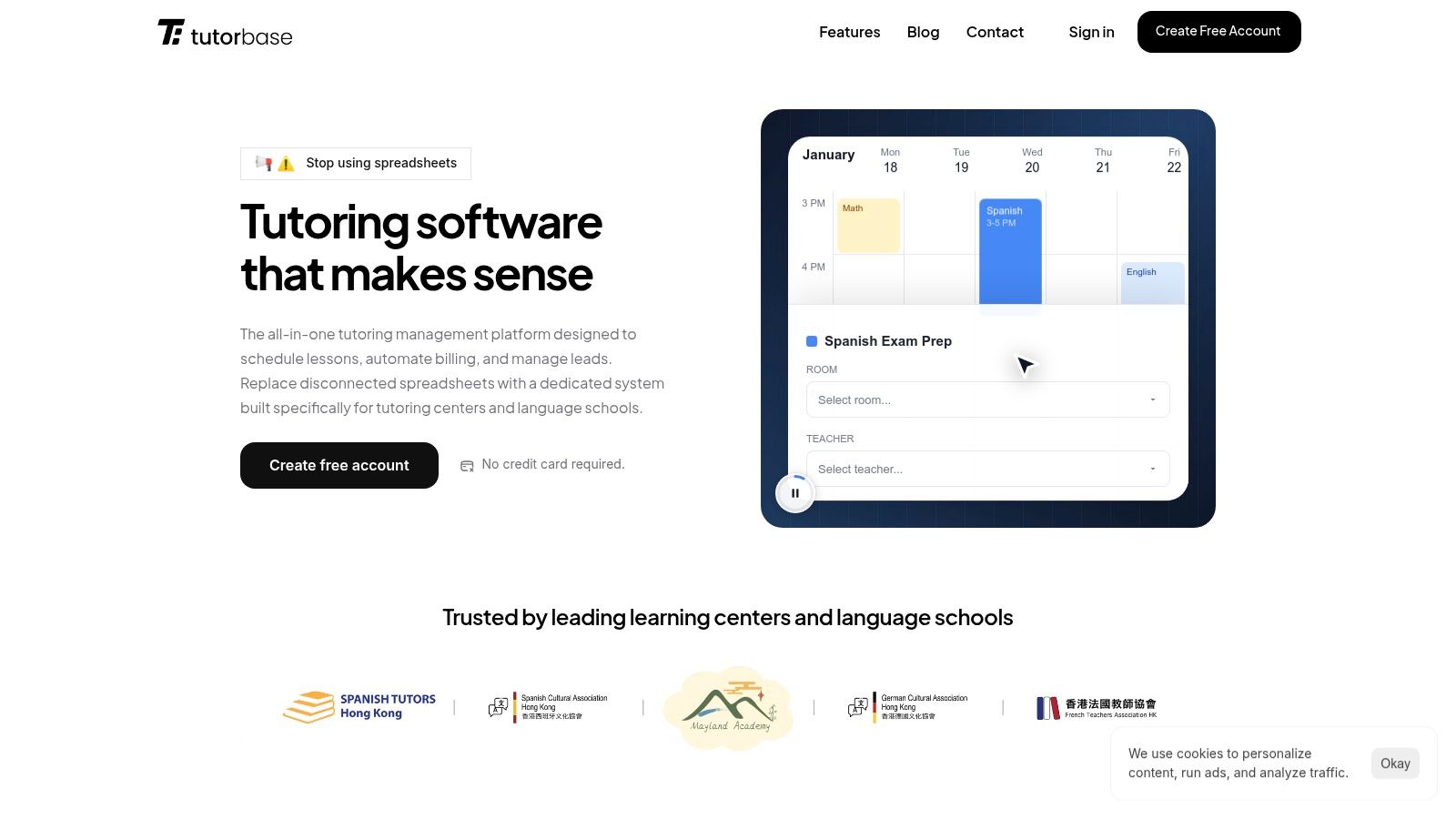
Its strength is bridging the gap between inquiry and enrollment. The AI-powered "Find Slot" feature eliminates the back-and-forth emails, increasing conversion rates by 3x. By managing the entire student journey, from a lead captured via a website form or WhatsApp widget to automated billing, Tutorbase ensures your marketing spend translates into retained customers. It is the foundational tool that makes all other marketing activities effective.
Key Details & Use Cases
- Best For: Tutoring centers and language schools with 5-100+ teachers that need to streamline the lead-to-enrollment process and connect marketing ROI directly to revenue.
- Key Feature: The integrated CRM and AI-powered "Find Slot" scheduler reduce lead-to-trial time from hours to minutes, directly boosting conversion rates and eliminating double-bookings.
- Pricing: Custom pricing based on business needs, designed to replace fragmented tools like Teachworks and TutorCruncher.
- Website: https://tutorbase.com
Pros:
- Directly connects marketing leads to scheduling and billing.
- Reduces admin time by 60% with automated invoicing and payroll.
- Manages multi-branch operations, including room booking, from one dashboard.
Cons:
- Its primary focus is on operations, not top-of-funnel ad management.
- Requires migrating core business processes to leverage its full value.
2. Google Ads
What is Google Ads? Google Ads is an online advertising platform that places your tutoring center in front of parents and students actively searching on Google. For tutoring centers, this means connecting with families at the exact moment they are looking for "math tutors near me" or "SAT prep classes," capturing high-intent local demand.
Unlike broad brand awareness campaigns, Google Ads drives immediate actions like phone calls and trial bookings. This focus on conversion makes it one of the most powerful tools in a tutoring center's marketing arsenal. You can control your daily or monthly budget, ensuring you never overspend, and its robust reporting shows exactly which keywords and ads are generating leads.
Why is Google Ads a Top Marketing Tool?
- High-Intent Traffic: You reach potential customers who are already searching for a solution, leading to higher conversion rates compared to passive advertising.
- Hyper-Local Targeting: Its granular geographic controls allow multi-branch centers to run separate campaigns for each location, ensuring ad spend is highly efficient.
- Measurable ROI: With conversion tracking, you can link ad spend directly to new student sign-ups, calculating a clear return on your investment.
| Pros | Cons |
|---|---|
| Captures high-intent search traffic | Steep learning curve for beginners |
| Granular geographic and keyword control | Poor account structure can waste budget |
| Detailed ROI reporting by campaign | Search creative is text-limited |
Link: Google Ads
3. Meta Ads (Facebook & Instagram)
What are Meta Ads? Meta Ads is a platform for reaching parents and students on Facebook and Instagram. Unlike search ads, which capture existing demand, Meta Ads excel at creating demand by showcasing your tutoring center’s programs and student successes through compelling visuals like images and videos. This makes it a key tool for building brand awareness within specific neighborhoods.
For tutoring centers, Meta's strength is its demographic and interest-based targeting. You can create audiences of parents based on their children's ages, interests (like "STEM education" or "college prep"), and location. Its Lead Ad format is particularly effective, allowing parents to request information with a few taps and sending their details directly to your CRM. For a complete guide, review this tutoring advertisement campaign playbook.
Why are Meta Ads a Top Marketing Tool?
- Powerful Visual Storytelling: Video and image ads allow you to showcase your facilities, engaging teachers, and successful students, building an emotional connection.
- Precise Audience Targeting: Go beyond keywords to target parents based on demographics, online behaviors, and interests relevant to your tutoring programs.
- Frictionless Lead Generation: Meta Lead Ads pre-fill user information, making it incredibly easy for busy parents to inquire about your services directly from their feed.
| Pros | Cons |
|---|---|
| Strong visual storytelling for programs | Attribution can be less direct than search |
| Granular demographic and interest targeting | Creative fatigue requires new ads regularly |
| Lead Ads reduce friction for sign-ups | Requires a clear audience strategy to be effective |
Link: Meta Ads
4. Mailchimp
What is Mailchimp? Mailchimp is an email marketing platform perfect for nurturing leads and retaining current families. It enables tutoring centers to design and send newsletters, automate welcome emails for new sign-ups, and build signup forms for their website. For centers looking to maintain consistent communication, it provides a straightforward way to announce new classes, share student successes, or send promotions.
The platform stands out for its user-friendly interface and vast library of templates, making it accessible even for those without a technical background. Its automation features, known as "journeys," can automatically send a series of emails to new leads captured from your website, keeping your center top-of-mind. This helps you maintain communication without adding to your administrative burden.
Why is Mailchimp a Top Marketing Tool?
- Lead Nurturing: Simple automations guide prospective parents from initial interest to enrollment with timely, relevant emails.
- Family Retention: Regular newsletters and updates keep current families engaged and informed, building loyalty and encouraging referrals.
- Scalable Communication: Whether sending to 50 or 5,000 contacts, Mailchimp ensures professional and reliable email delivery.
| Pros | Cons |
|---|---|
| Fast to launch and easy to use for SMB teams | Free tier is limited for sends and automations |
| Good deliverability and many integrations | Overages can surprise during enrollment spikes |
| Pay-As-You-Go option for infrequent senders | Advanced automations require higher-tier plans |
Link: Mailchimp
5. Canva
What is Canva? Canva is an essential design platform that empowers tutoring centers to create professional marketing materials without needing a graphic designer. From social media posts and digital ads to printable flyers and open house banners, it simplifies the creative process. This tool is perfect for quickly producing visuals that announce new courses, promote holiday camps, or highlight student achievements.
Unlike complex software like Adobe Photoshop, Canva’s drag-and-drop interface and vast template library make it accessible to any team member. For growing tutoring centers, the Teams and Business plans offer brand kits to ensure consistency across all locations, along with collaboration features for approvals. This makes Canva one of the top tools for tutoring center marketing, as it enables rapid, on-brand content production for every campaign.
Why is Canva a Top Marketing Tool?
- Accelerates Content Creation: Quickly design ads, social graphics, and print materials, reducing dependence on external designers and speeding up campaign launches.
- Ensures Brand Consistency: The Brand Kit feature (on paid plans) stores your logos, fonts, and color palettes, making it easy for any staff member to create on-brand assets.
- Empowers Non-Designers: An extensive library of education-focused templates gives your team a professional starting point for any marketing material they need to create.
| Pros | Cons |
|---|---|
| Speeds creative turnaround for campaigns | Some advanced features require paid tiers |
| Large template library makes design accessible | Pricing plans and features can change |
| Brand kits maintain consistency across assets | Default templates can look generic if not customized |
Link: Canva
Integrating Your Tools for Maximum Impact
Choosing from this list of the top 5 tools for tutoring center marketing is a significant first step, but the real power is in making them work together. A collection of disconnected tools creates more administrative chaos than it solves. The goal is to build a cohesive marketing and operational engine that drives predictable growth for your center.
Your marketing efforts should not exist in a vacuum. The leads you generate from Google Ads and Meta Ads need an immediate, organized destination. Your email campaigns in Mailchimp become more effective when segmented based on real-time student data, such as subject interests or renewal dates. Every piece of your marketing stack should feed into and draw from a central source of truth.
How do I build an integrated marketing stack?
An integrated system ensures that every marketing dollar can be traced directly to an outcome, like a scheduled trial or a renewed package. Think of your tutoring management software as the central hub and your marketing tools as the spokes of a wheel.
- Lead Flow Automation: When a parent fills out a form from a Yelp Ad, that lead should automatically populate your CRM pipeline. This eliminates manual data entry and ensures rapid follow-up, which can increase conversion rates by 3x.
- Data-Driven Campaigns: By connecting your marketing tools to a system like Tutorbase, you can create highly targeted campaigns. Imagine sending an automated email to all parents of students in "Grade 10 Math" about an upcoming SAT prep workshop.
- Closed-Loop Reporting: True ROI is only visible when you connect marketing spend to actual revenue. An integrated system allows you to see which Google Ad campaign led to the most high-value, long-term students, not just which one generated the most clicks.
The key takeaway is to build a system where data flows seamlessly from your marketing efforts directly into your operational workflow, from lead capture and scheduling to billing and retention. This synergy is what transforms your marketing from a set of isolated tasks into a powerful, scalable engine for growth.
Frequently Asked Questions
What is the best marketing tool for a small tutoring center?
For a small tutoring center, the best starting combination is a free Google Business Profile for local visibility and Canva for creating professional marketing materials quickly and affordably.
How much should a tutoring center spend on marketing?
A common benchmark is 5-10% of your total revenue. However, this depends on your growth goals. New centers may invest a higher percentage initially to build brand awareness and fill classes.
Are paid ads on Google and Meta worth it for tutors?
Yes, they are highly effective. Google Ads captures parents actively searching for tutors, leading to high-quality leads. Meta Ads are excellent for building local brand awareness and promoting specific programs like summer camps or test prep workshops.
How does tutoring management software help with marketing?
Tutoring management software like Tutorbase helps by connecting your marketing efforts to your operations. It provides a CRM to capture and track leads, automates scheduling for trials, and shows you which marketing channels are converting into paying students, maximizing your ROI.
What is the difference between marketing and operations tools?
Marketing tools (Google Ads, Mailchimp) focus on attracting new leads (top of the funnel). Operations tools (Tutorbase) focus on managing the student lifecycle after they inquire, including scheduling, billing, and retention (middle and bottom of the funnel). Integrating them is key to growth.
Ready to build a truly integrated system for your tutoring center? While these marketing tools handle the top of the funnel, Tutorbase provides the central operational hub to connect them all. See how our all-in-one management platform can automate your scheduling, billing, and lead management, giving you the power to turn marketing efforts into measurable results. Start your free trial today.


